Authenticated employee IT self-service with an embedded support agent

Entra SSO, web roles, table permissions, ownership checks, Bot Consumer configuration
Copilot Studio
Automate
Dataverse
Teams
Azure OpenAI
Entra ID
Power Apps
RBAC
The IT Helpdesk Agent already supported ticket logging, status retrieval and urgent escalation, but it did not yet have a complete employee-facing front door. Users needed one authenticated destination where they could access the agent, submit a support request and review their own tickets within a consistent, governed experience.
Embedding a chat widget into a website is relatively straightforward. Carrying one verified identity securely across Microsoft Entra ID, Power Pages, Copilot Studio and Dataverse is not. The challenge was to ensure the portal recognised the signed-in employee, passed that identity to the agent as trusted authentication context rather than user-typed information, and restricted every ticket request to its authorised owner—without requiring a separate interactive sign-in to the agent.
I designed and built an authenticated employee portal in Power Pages that brings ticket submission, personal ticket tracking, escalation and the existing Copilot Studio agent into a single signed-in experience. Microsoft Entra ID authenticates the employee at entry, while Power Pages web roles, Dataverse table permissions and ownership checks in Power Automate restrict ticket data and protected actions to the signed-in user. I also configured portal-to-agent single sign-on, including the required Bot Consumer and Entra application settings, so users can access the agent without entering a validation code or completing a separate interactive login.
Drawing on my UX design background, I developed the portal as a coherent service experience rather than an assembly of default Power Pages components. I created a deliberate information architecture, consistent visual language and responsive journeys across desktop, tablet and mobile, using custom CSS and targeted JavaScript to improve the platform-generated interface where necessary.
I also reviewed accessibility, performance, SEO relevance and security findings throughout the build. Where an issue originated from platform-managed behaviour, I investigated and documented it rather than introducing a fragile workaround that would reduce stability or maintainability for limited benefit.
Explore the related IT Helpdesk Agent case study to see the Copilot Studio, Power Automate and Dataverse architecture behind the portal, including authenticated ticket actions, AI summarisation and governed escalation.
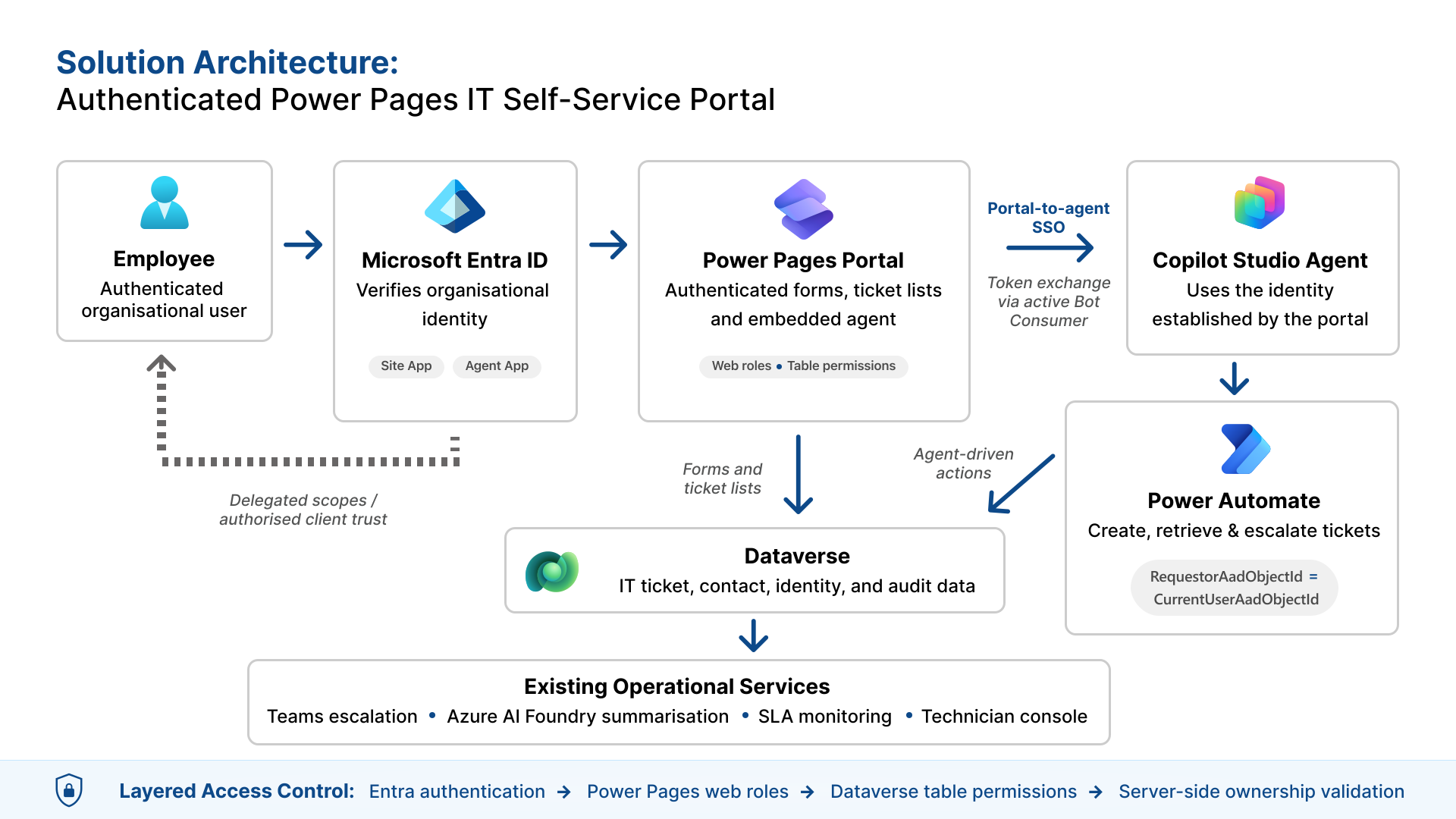
The architecture separates authentication, portal authorisation, data access and agent authorisation, rather than treating a successful sign-in as blanket access. Microsoft Entra ID establishes the employee’s identity, Power Pages creates the authenticated site session, and web roles and Dataverse table permissions determine which pages and records the user can reach.
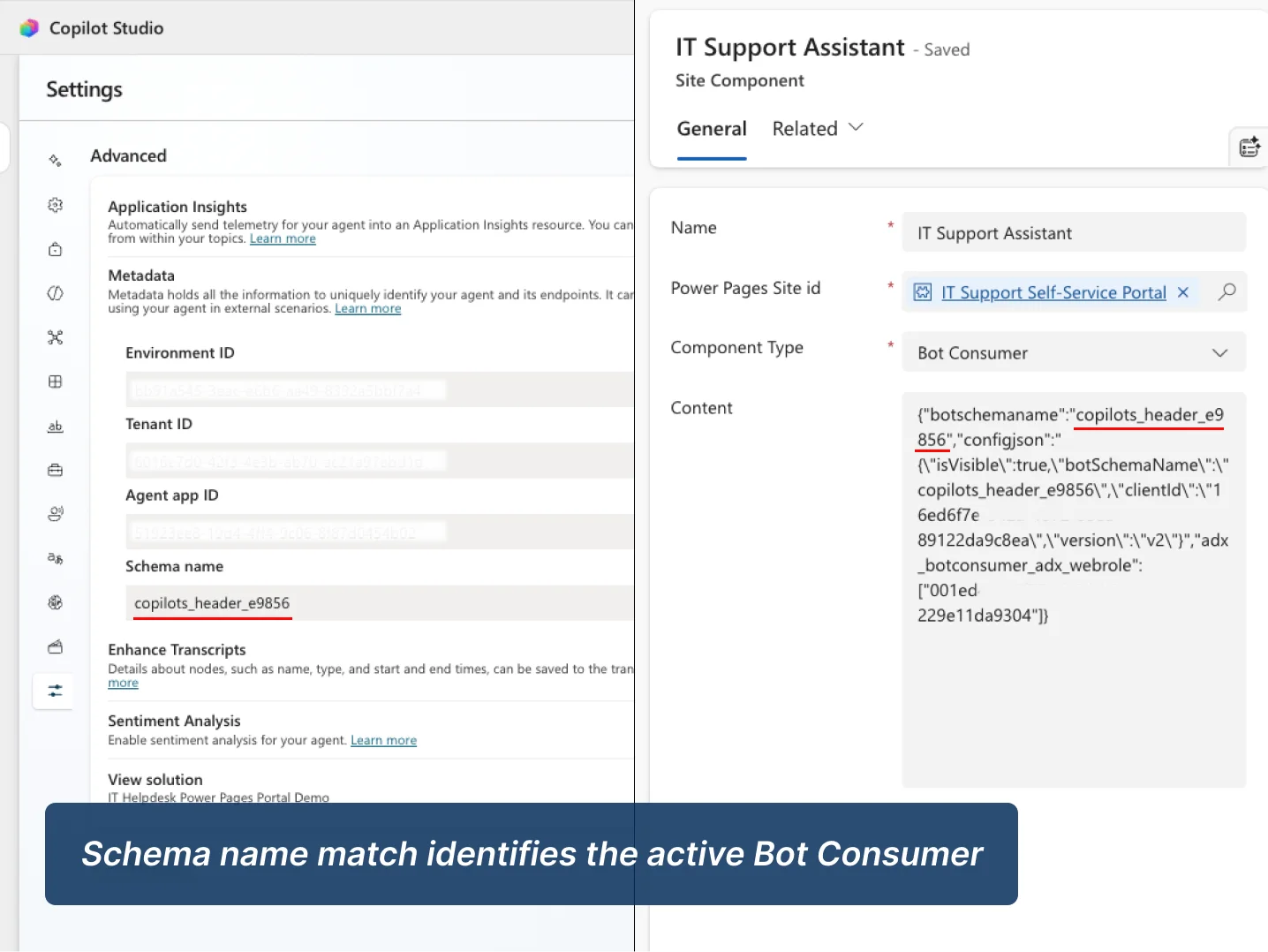
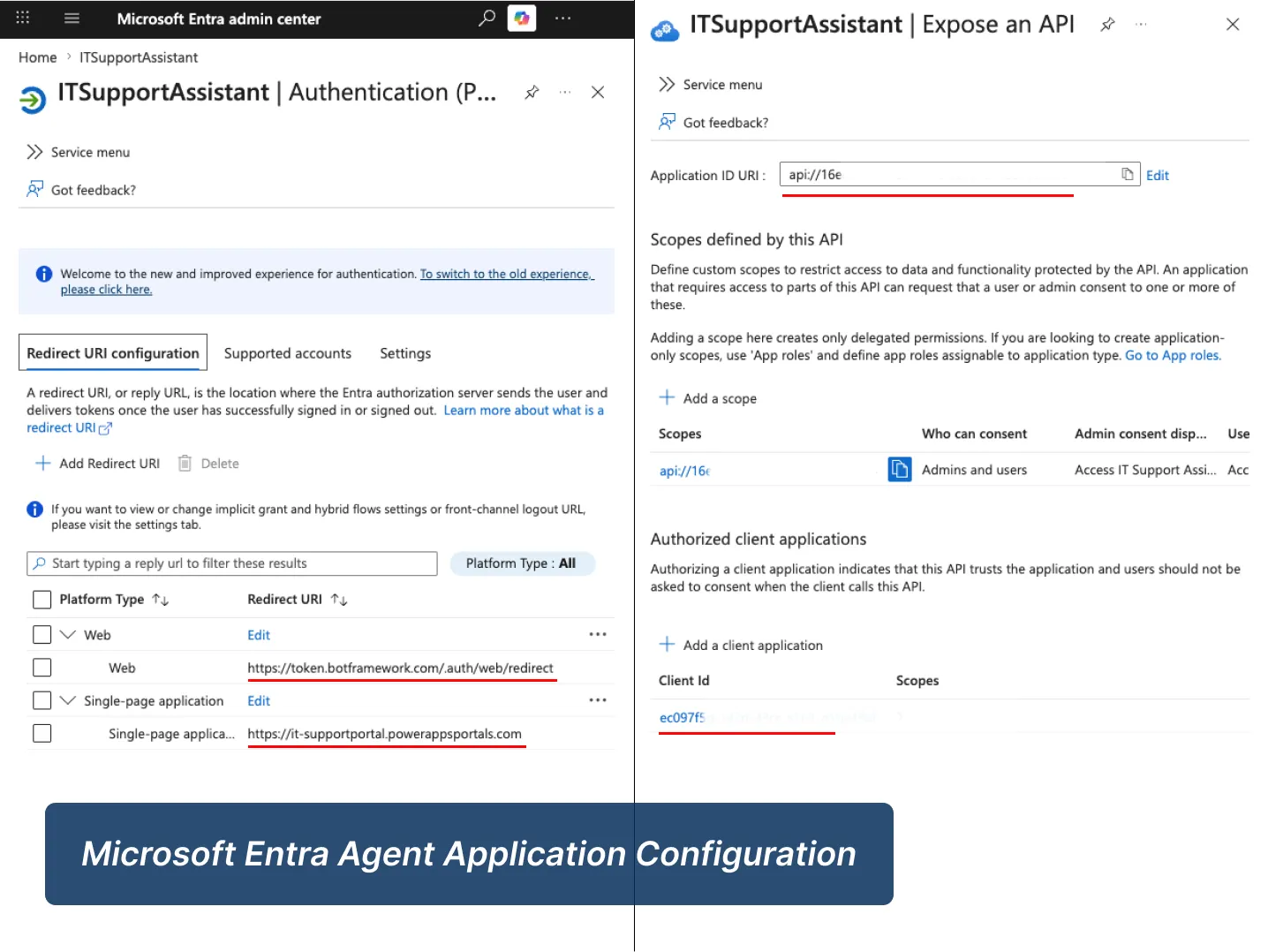
For portal-to-agent single sign-on, I configured separate Entra application registrations for the Power Pages site and the Copilot Studio agent, together with delegated scopes, redirect URIs, token exchange and the active Bot Consumer record. The identity established by the portal is reused by the agent, so the user is not asked for a validation code or a separate interactive login.
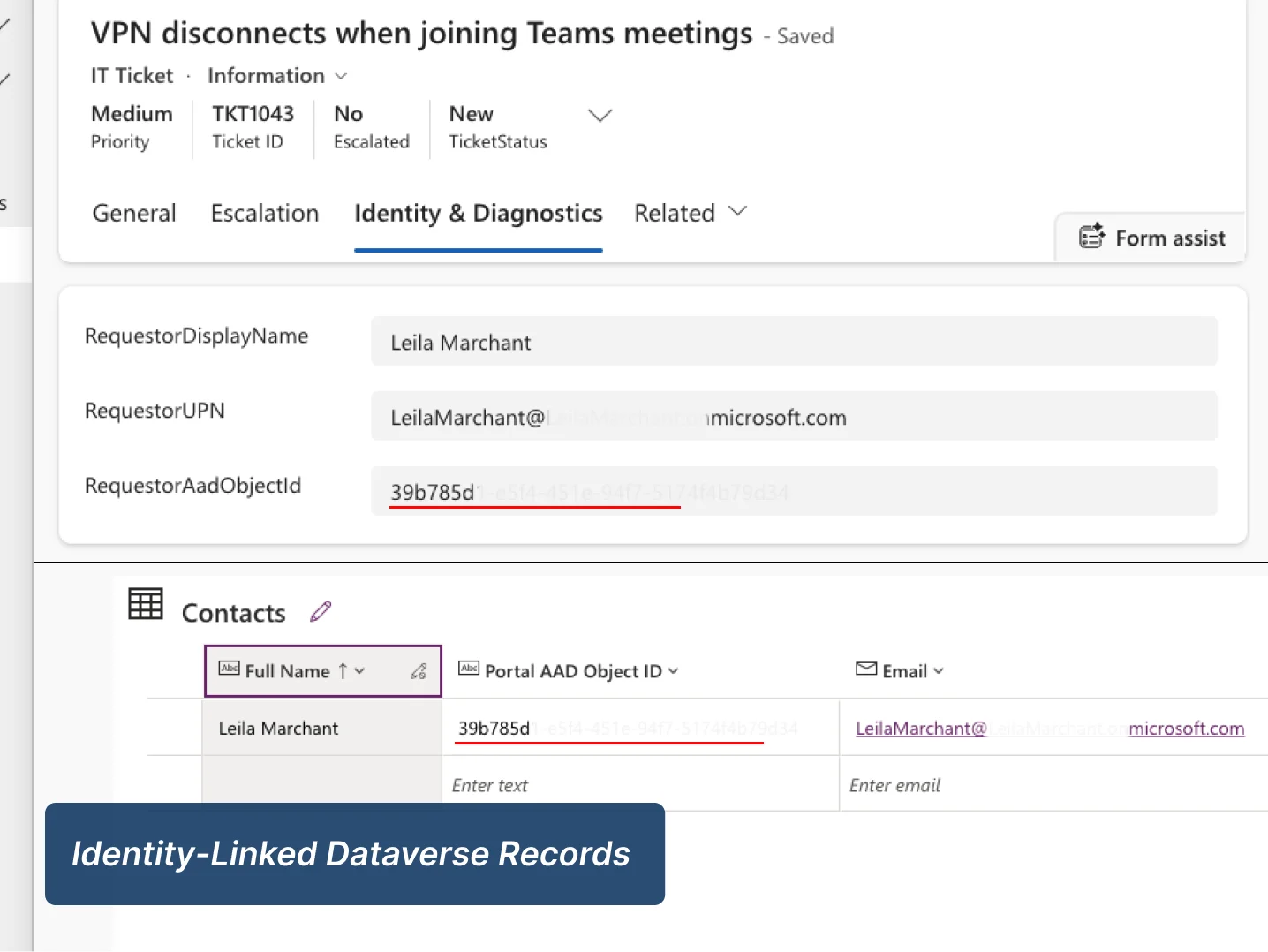
Protected ticket actions are checked independently in Power Automate. Before returning ticket details or processing an escalation, the flow compares the ticket’s stored RequestorAadObjectId with the signed-in user’s CurrentUserAadObjectId. Portal visibility controls are therefore not the only security boundary: ownership is revalidated server-side before data is disclosed or an action completes.
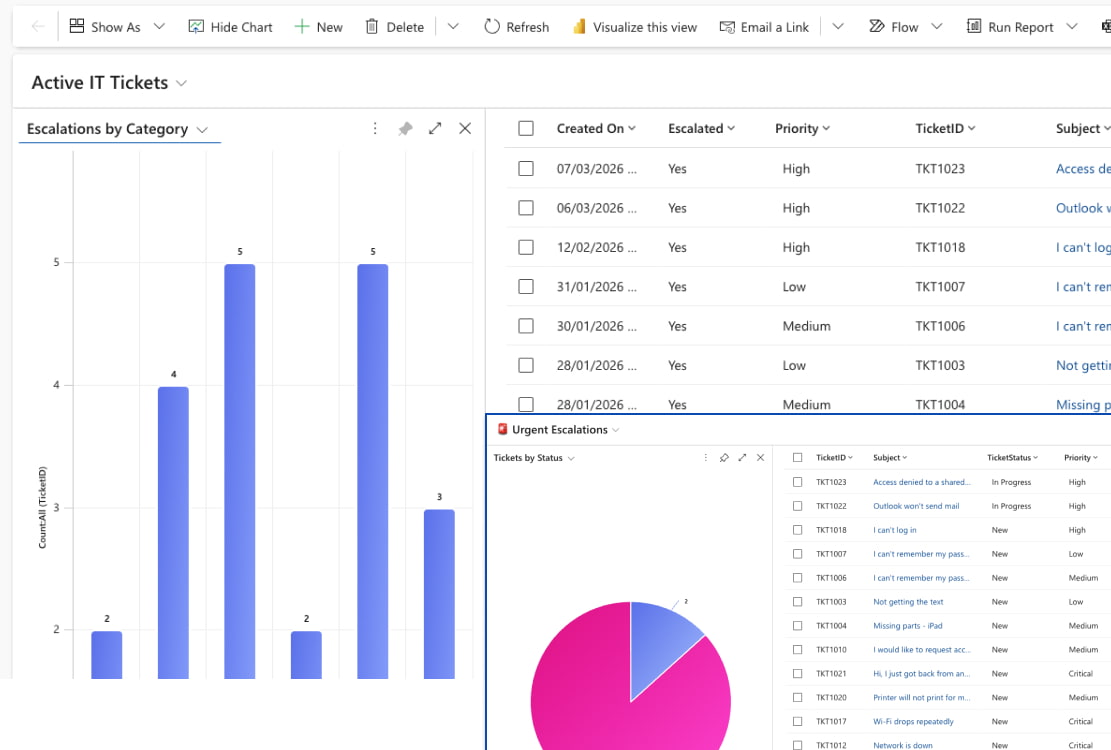
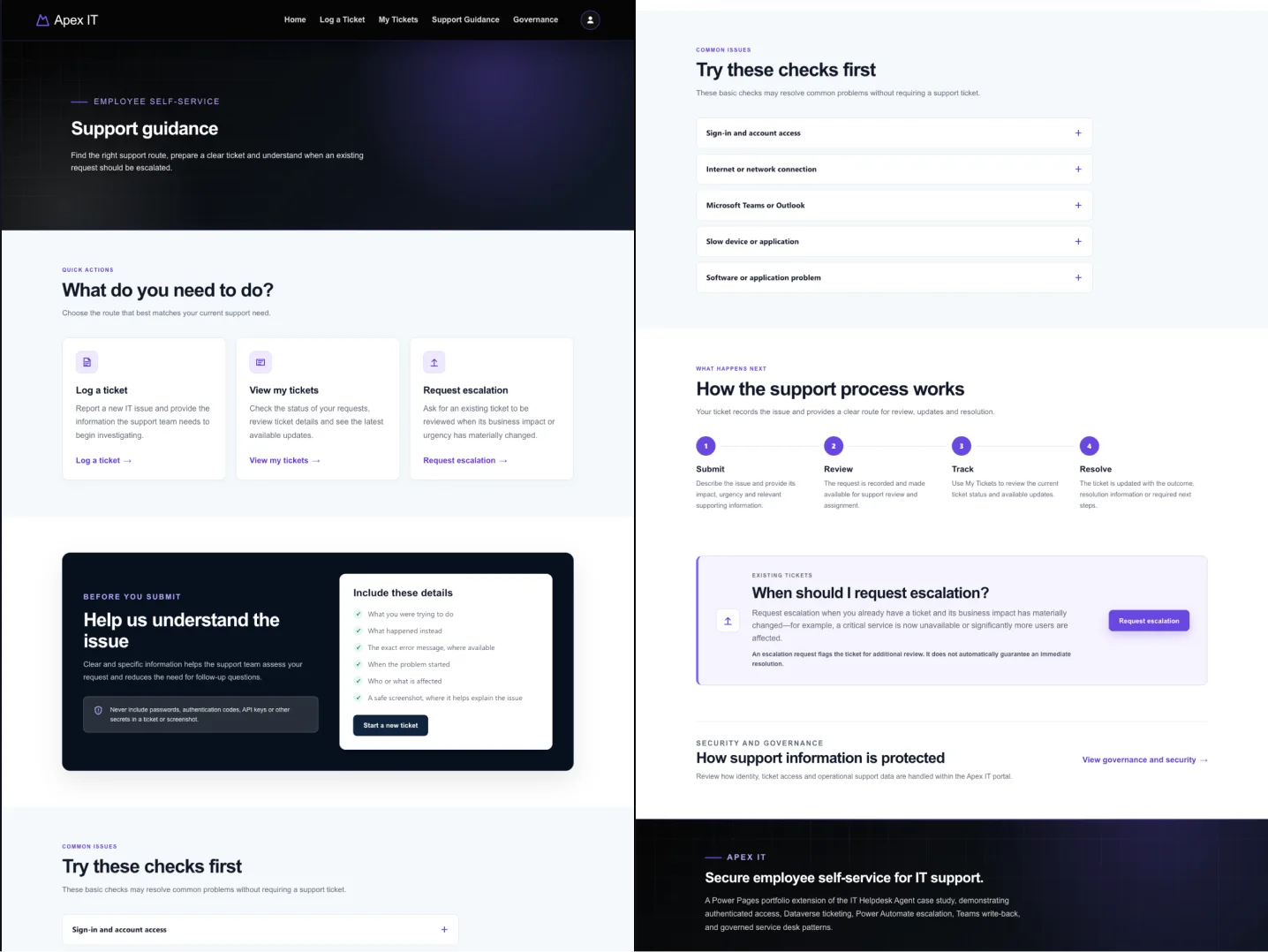
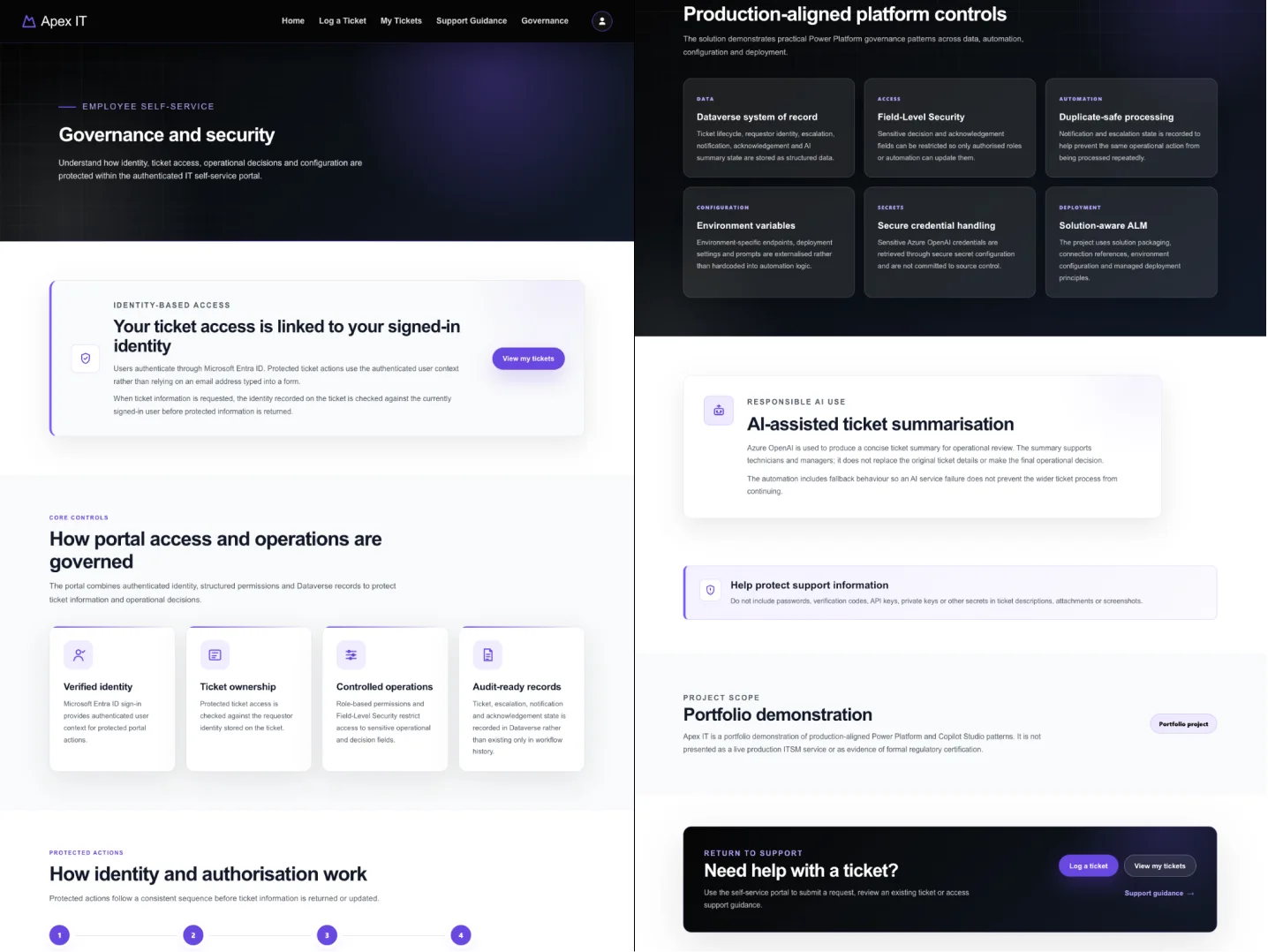
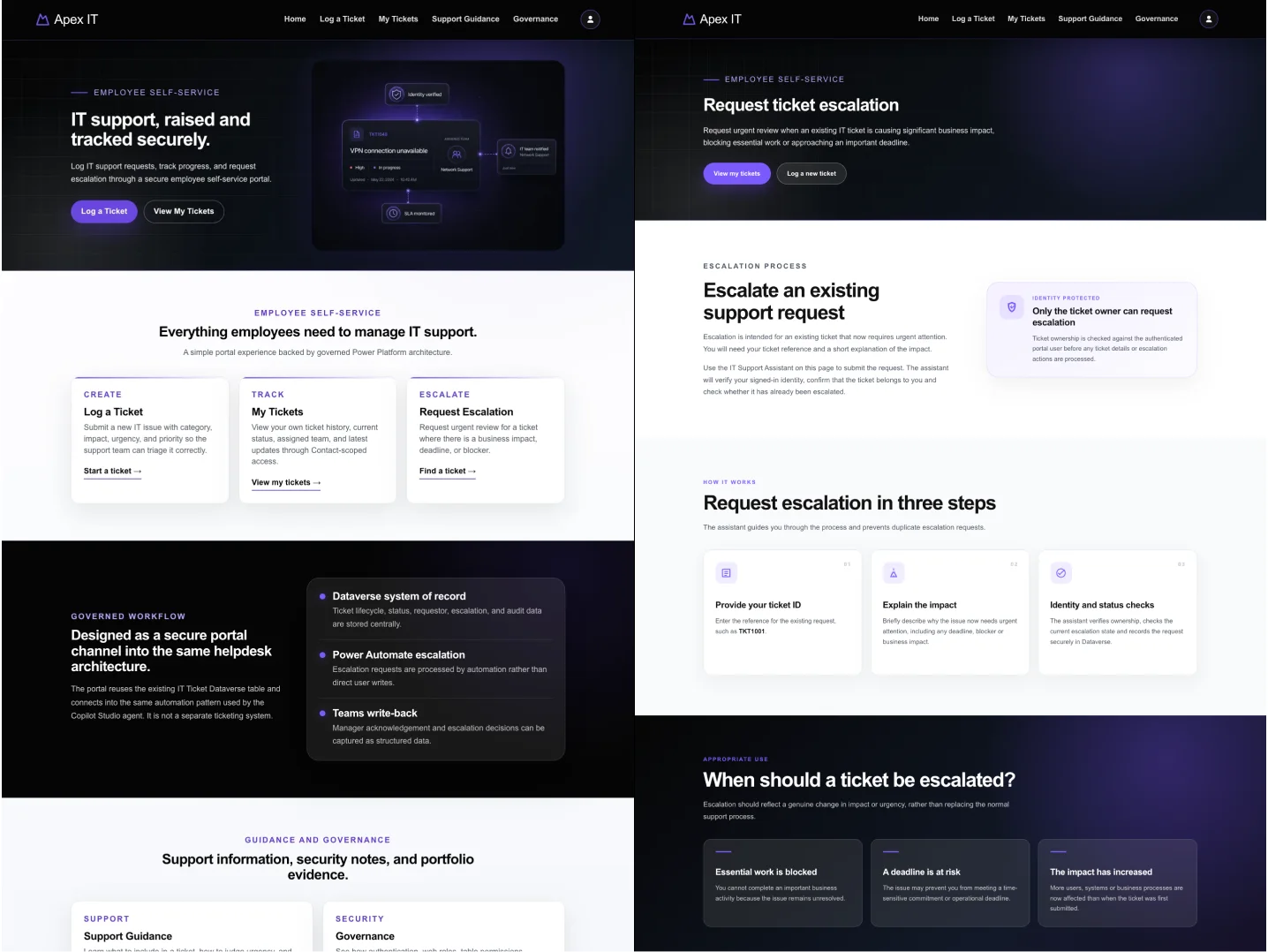
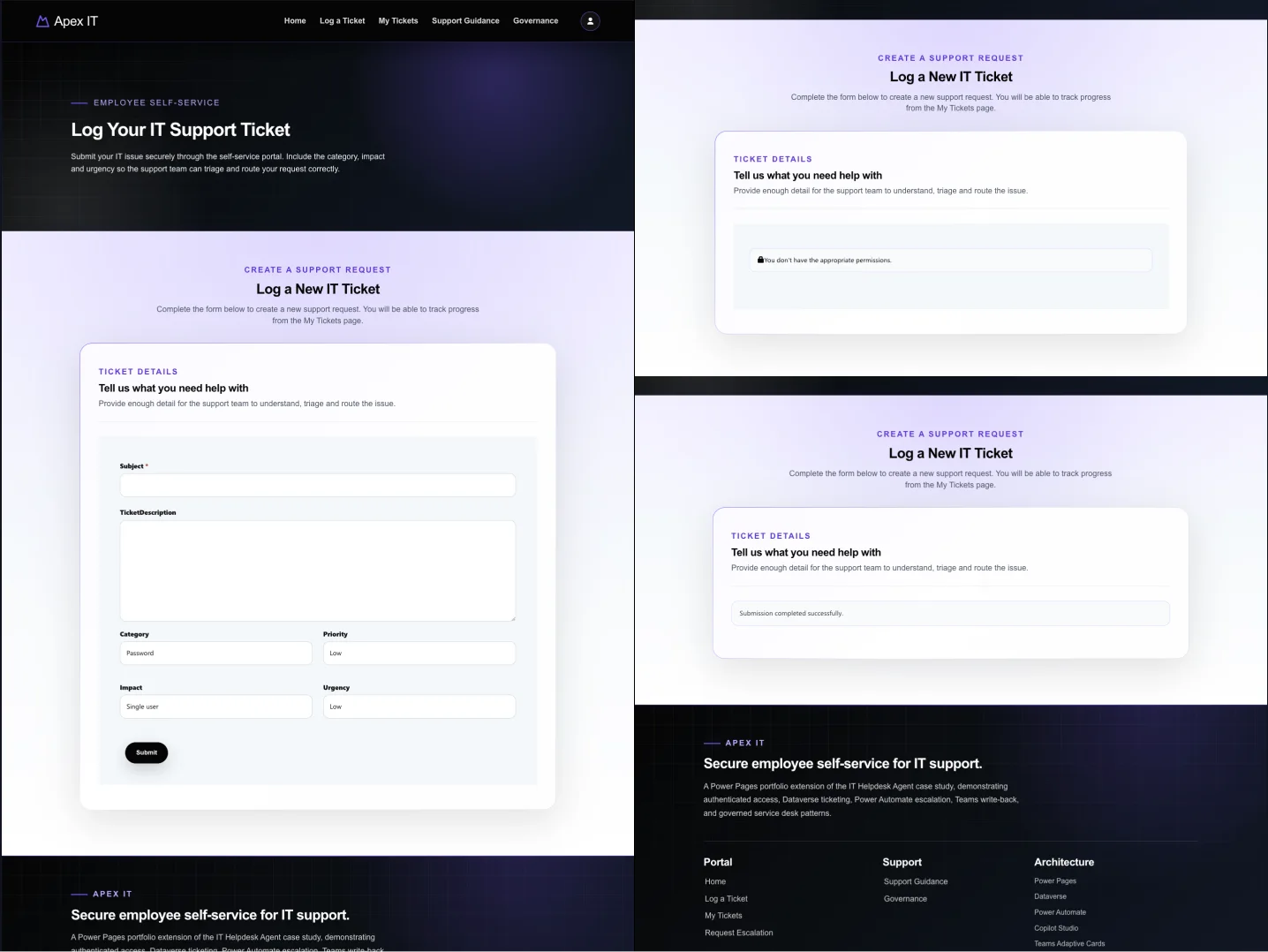
These screens show the key workflow decisions behind the build: authenticated intake, identity-based authorization, escalation guardrails, and technician-facing operational visibility.
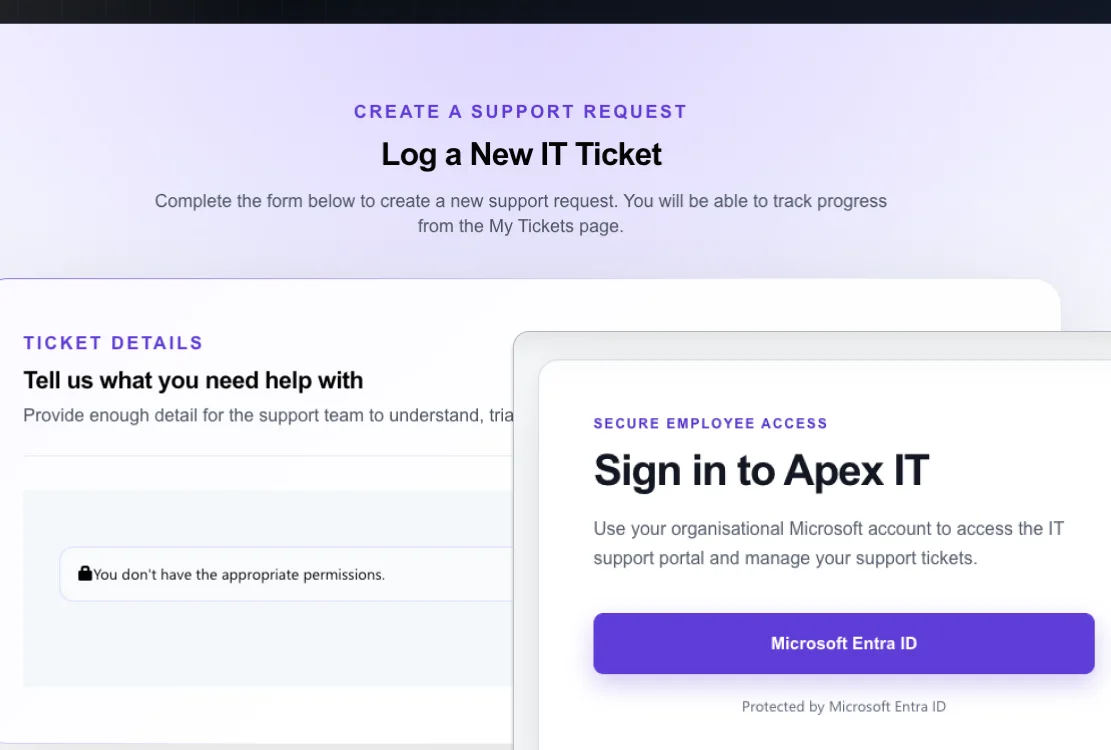
Microsoft Entra ID establishes the Power Pages session, while web roles control access to protected pages and the embedded support agent.
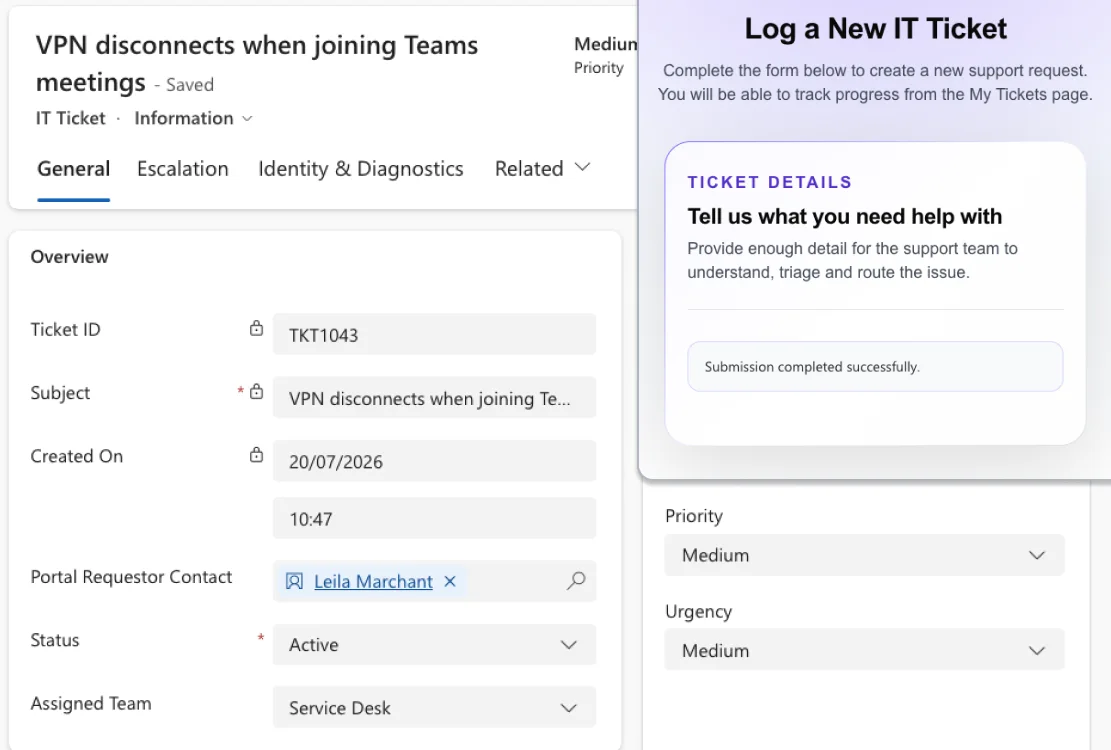
Employees submit support requests through a Power Pages form. The ticket is written to Dataverse with the signed-in user’s identity and becomes available to the existing helpdesk workflows.
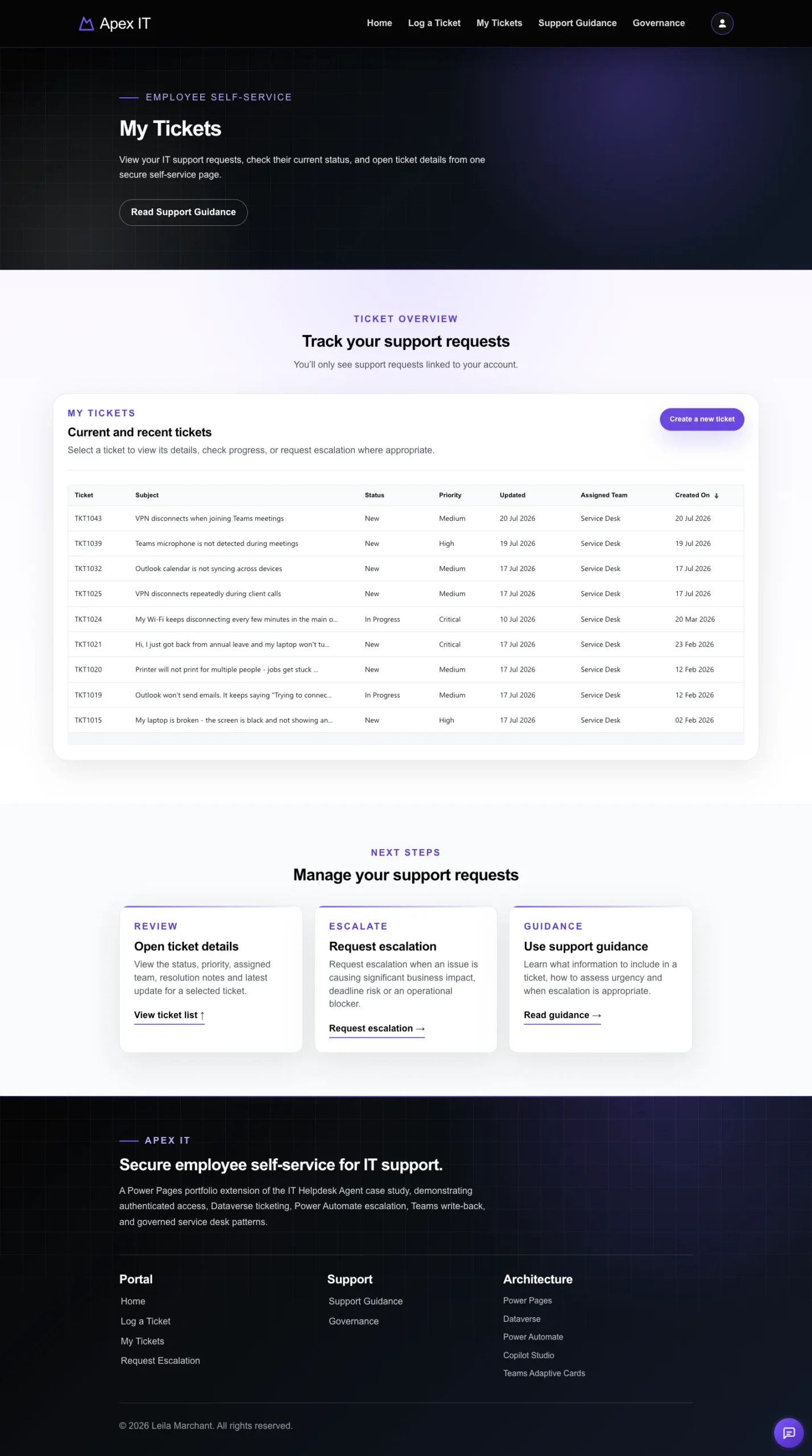
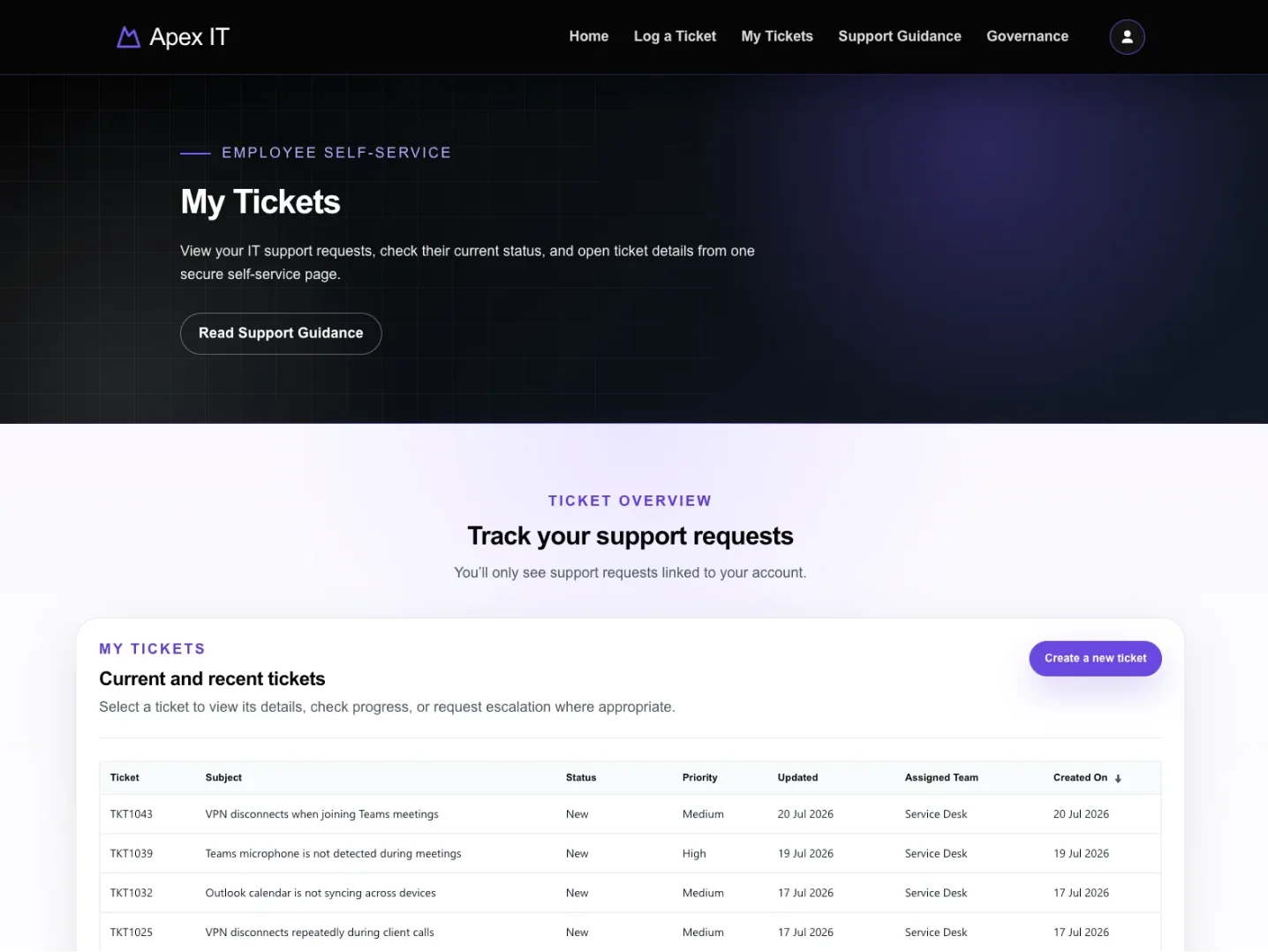
The My Tickets view gives employees a clear record of their requests while Power Pages table permissions restrict access to authorised ticket data.
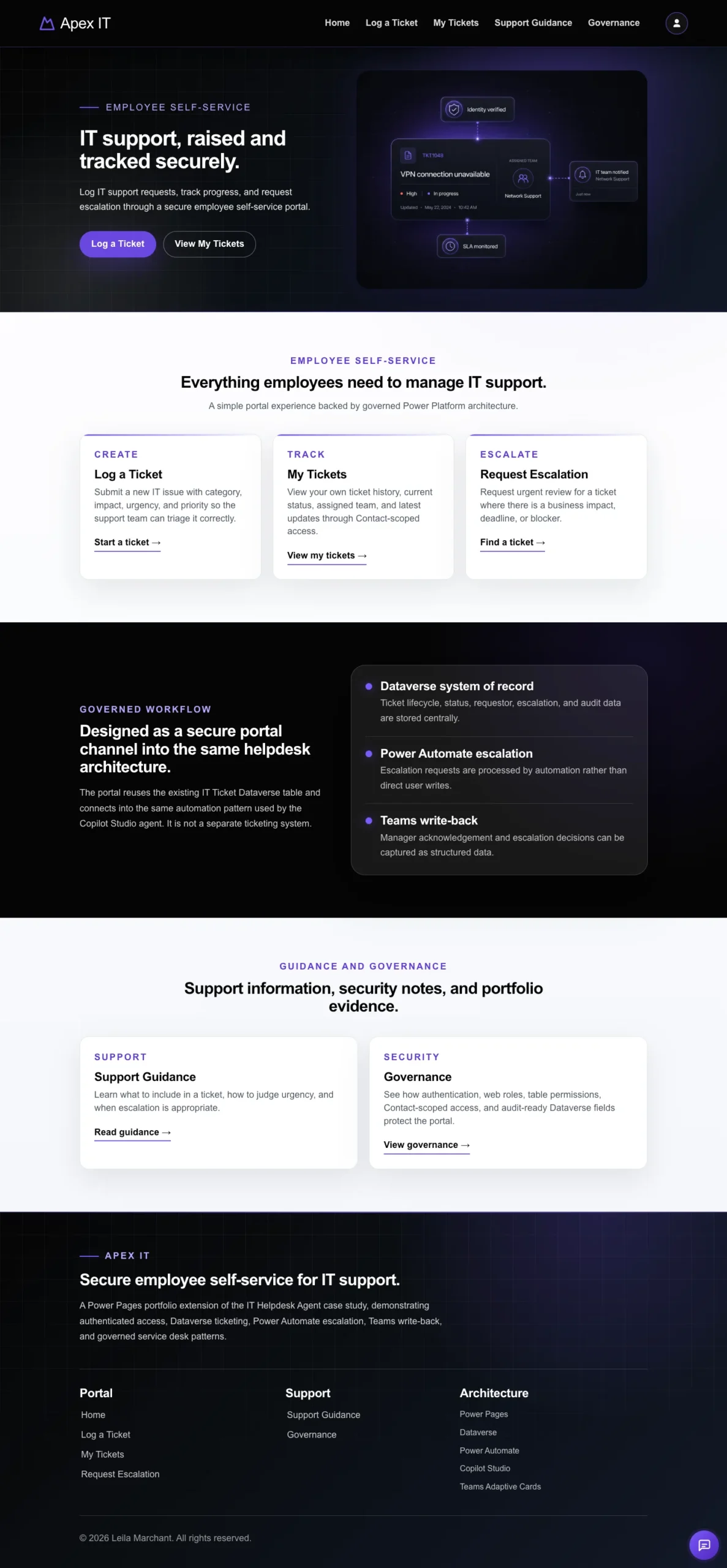
Portal-to-agent single sign-on reuses the identity established by Power Pages. Power Automate then compares RequestorAadObjectId with CurrentUserAadObjectId before returning ticket details or completing an escalation.
The design decision behind this section was to treat the portal interface as a convenience layer rather than a security boundary. What a page shows or hides is a usability outcome. Whether a record may be disclosed is decided beneath it, by Dataverse table permissions and again by Power Automate before any ticket is returned.
The same applies to failure: an unauthorised or missing ticket reference returns a safe response rather than an error revealing that another user’s record exists. Operational state is written back to Dataverse so that identity, escalation state and timestamps remain traceable beyond the browser session or a flow run history.
Entra ID authentication before any protected feature
Portal-to-agent single sign-on with no second login
Web roles governing pages and the embedded agent
Dataverse table permissions enforced at the data layer
Access checked at four independent boundaries
Ownership revalidated server-side before disclosure
RequestorAadObjectId matched to CurrentUserAadObjectId
NotAuthorized and NotFound handled without data leakage
dempotency checks preventing duplicate escalations
Identity, status and timestamps retained for audit
This build was designed to show more than a portal with an agent embedded in it. It demonstrates how a single verified identity can be carried across five Microsoft services and enforced independently at every layer beneath the interface.
A layered identity model across Entra ID, Power Pages, Copilot Studio, Power Automate and Dataverse.
Portal forms, ticket views, workflows and an existing agent joined into one service journey.
Information architecture, navigation, forms and responsive journeys built around employee tasks.
Custom CSS and targeted JavaScript used to bring generated Power Pages markup up to a deliberate design standard.
Web roles, table permissions, server-side ownership checks and traceable Dataverse records.
Separating findings that are a maker's to fix from behaviour the platform owns, and documenting the difference.
This project reinforced that authenticated integration has no single setting to get right. The SSO failure I spent longest on — an AADSTS900144 error reporting a missing client_id — was not an authentication problem at all. The client ID was correct, but it had been applied to a stale Bot Consumer record that was auto-provisioned alongside the one linked to the live agent schema. Finding it depended on reading the error progression as evidence: when the missing client_id error became a redirect URI mismatch, that confirmed the first problem was resolved and narrowed where to look next. The identity chain crosses five services, and none of them can confirm on its own that the whole chain is sound.
The portfolio build demonstrates the core authenticated architecture and user journey. A client deployment would progress through staged hardening, operational readiness and enterprise integration rather than moving directly from development into production.
Move the solution through separate Development, Test and Production environments using managed solutions, connection references and environment variables. Complete formal reviews of web roles, table permissions, app registrations, secrets, data policies and deployment dependencies before go-live.
Introduce structured monitoring, support ownership and release controls. This would include telemetry, error logging, regression testing, accessibility and performance checks, documented support runbooks, credential rotation and a repeatable process for investigating authentication or integration failures.
Extend the portal around the organisation’s service model through production ITSM integration, role-specific journeys, searchable knowledge, multilingual content and management reporting. Further automation could support request routing, service-level tracking and proactive communications while retaining Dataverse auditability and server-side authorisation.
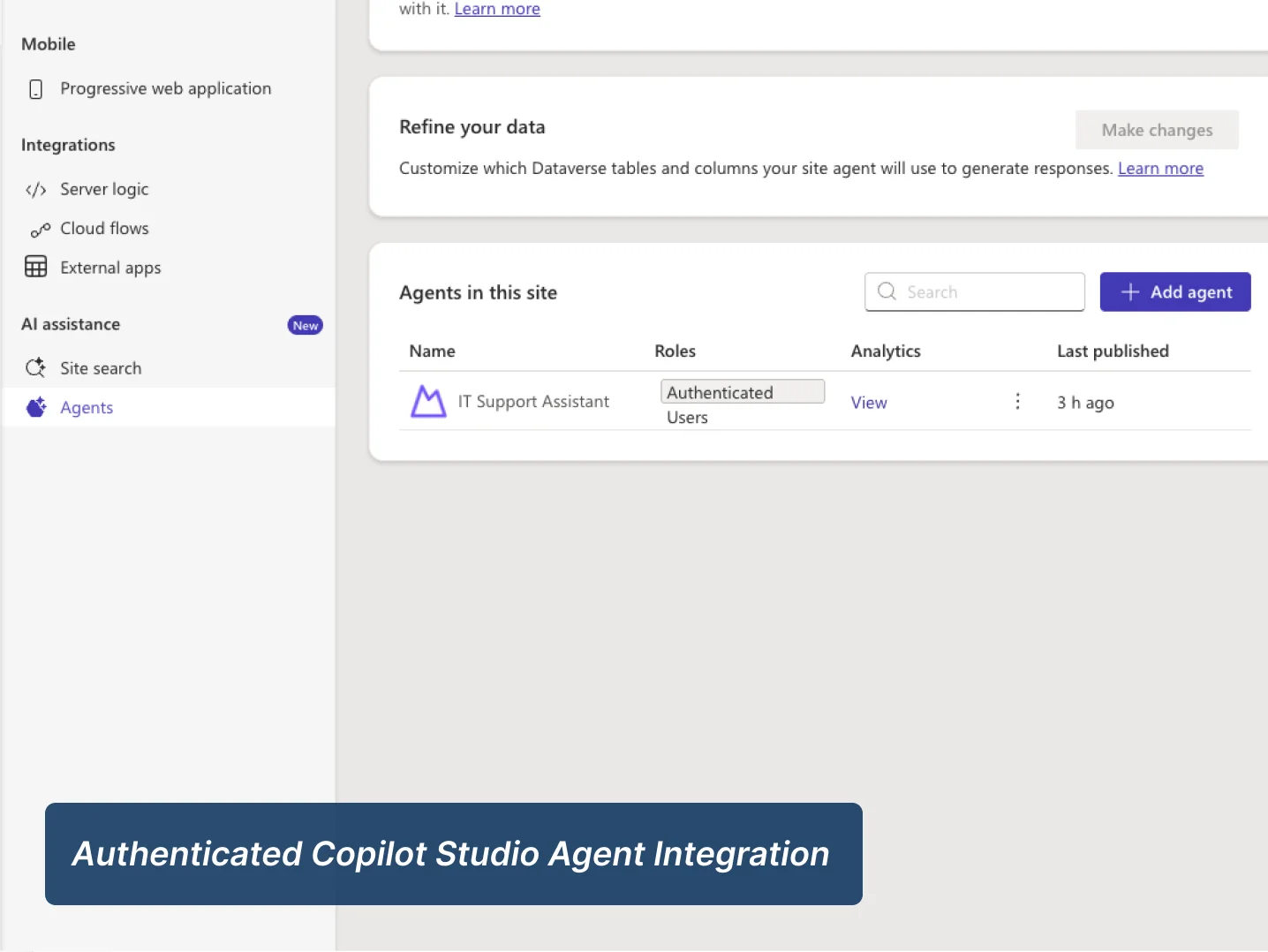
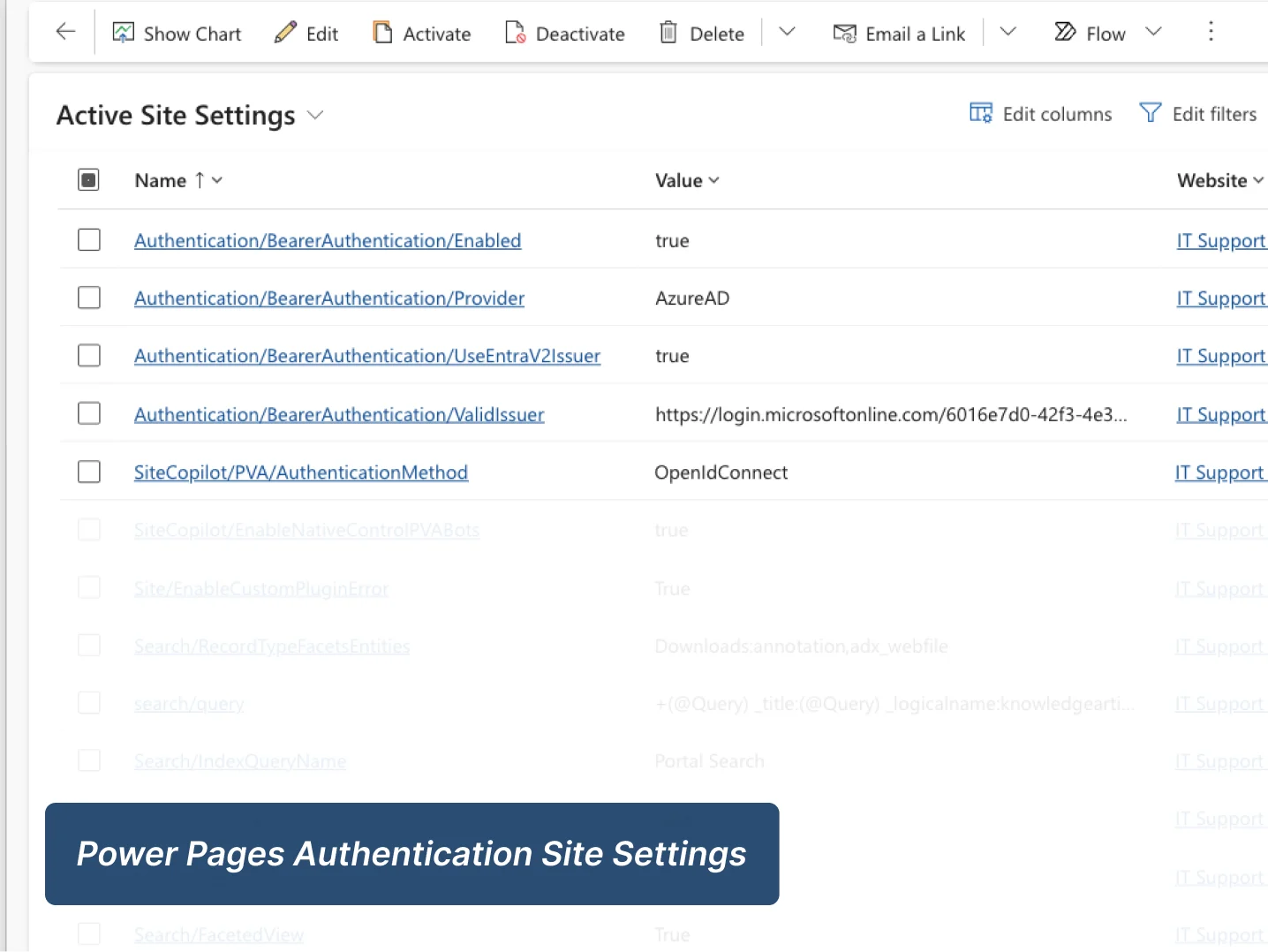
For full delivery detail, these documents provide the deeper project, governance, and release view.
End-to-end project narrative covering business problem, architecture, data model, workflows, governance, and testing.
Download PDFDeployment-focused document covering solution packaging, environment setup, validation, release controls, and operational readiness.
Download PDF