Case Study

Enterprise Access Request & Approval Agent

A governed Power Platform workflow combining conversational intake, approval routing, identity-aware controls and Dataverse-backed operational visibility.

Play Video

Project Snapshot

Platform:

Copilot Studio, Power Automate, Dataverse, PowerApps (Model Driven Apps), Entra ID, Model-Driven App

Use case:

Authenticated IT ticket logging, status retrieval, and urgent escalation

Core focus:

Trusted identity, authorization, operational traceability, and escalation safety

Patterns used:

Watcher flow, idempotency, least privilege, audit fields

Copilot Studio

Automate

Dataverse

Teams

Azure OpenAI

Entra ID

Power Apps

RBAC

The challenge

I built a Dataverse-backed access request agent that captures structured requests in Copilot Studio, applies validation and policy gating, generates a concise AI summary through a reusable BYOM child flow, and creates a tracked request record. From there, watcher flows handle Teams approval, fulfillment, reminders and escalation, while a model-driven app gives operations and governance teams clear visibility into status, traceability and errors.

The solution

I built a Dataverse-backed access request agent that captures structured requests in Copilot Studio, applies validation and policy gating, generates a concise AI summary through a reusable BYOM child flow, and creates a tracked request record.

From there, watcher flows handle Teams approval, fulfillment, reminders and escalation, while a model-driven app gives operations and governance teams clear visibility into status, traceability and errors.

Authenticated Architecture

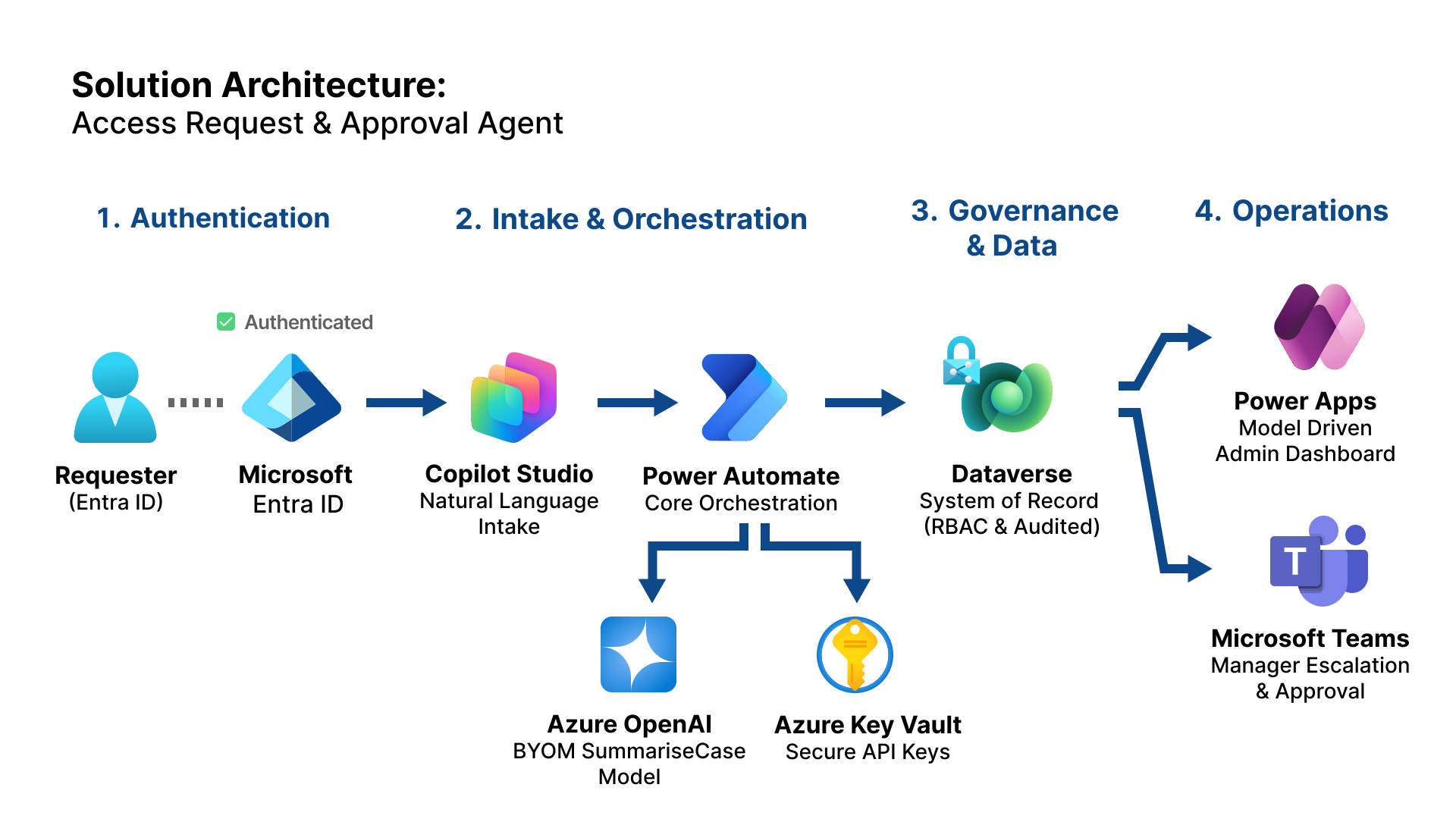
This solution is designed around a clean separation of responsibilities. Copilot Studio handles conversational intake and validation, Entra ID supports authenticated identity capture in the secure variant, Power Automate orchestrates approvals and lifecycle automation, Teams provides the approval surface, Dataverse acts as the system of record, and a model-driven app provides operational visibility across the case lifecycle.

Solution Architecture - Access Request & Approval Agent
Core flow: Copilot → Create Request Flow → Dataverse → Approval Watcher → Fulfillment Watcher → SLA Watcher, with reusable AI summarisation handled through a separate BYOM child flow configured by environment variables.

Workflow Evidence

These artefacts show how the solution works in practice: conversational intake, approval orchestration, operational visibility, and governed monitoring from the Dataverse record outward. Each component was designed to demonstrate not only functionality, but platform discipline.

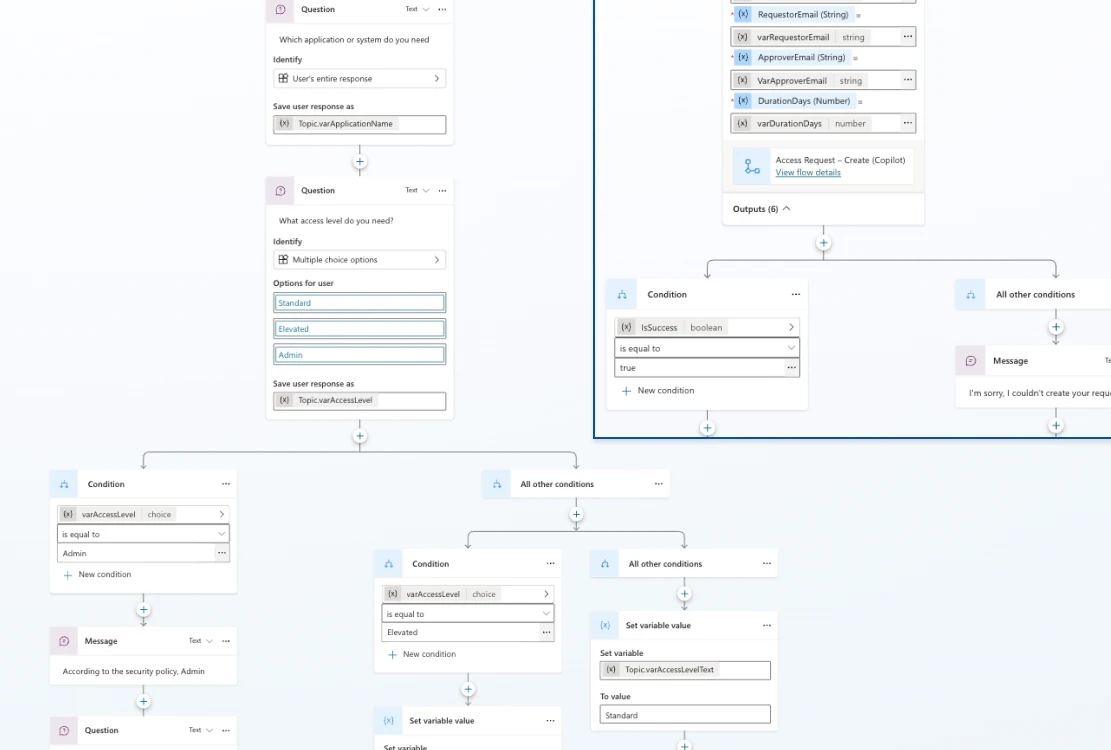
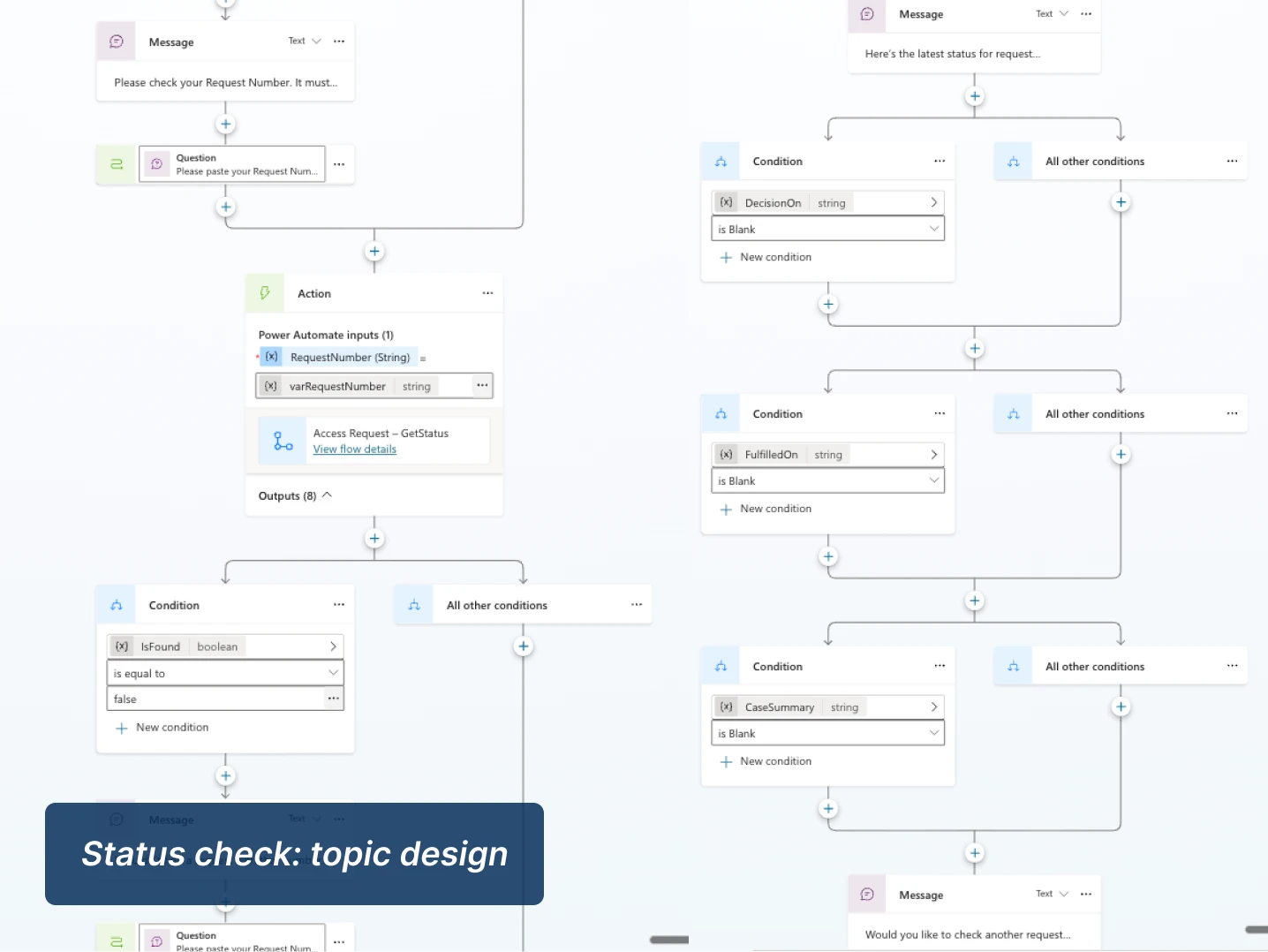
Copilot topic design

The request topic collects application name, access level, justification, duration and approver details, while applying validation rules and an admin-access policy gate before the request is committed.
Approval & resolution watcher logic

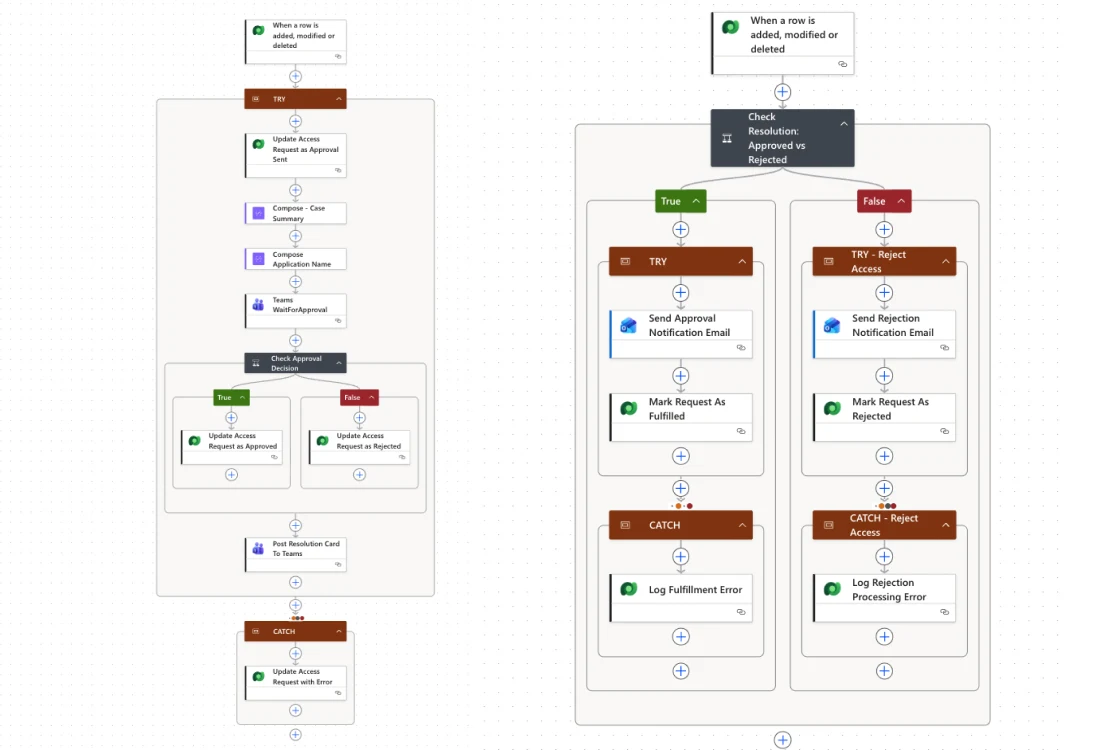
An approval watcher sends the Teams card once per pending request and writes the decision back to Dataverse. A separate resolution watcher then updates final status, sends the outcome email and logs processing errors.
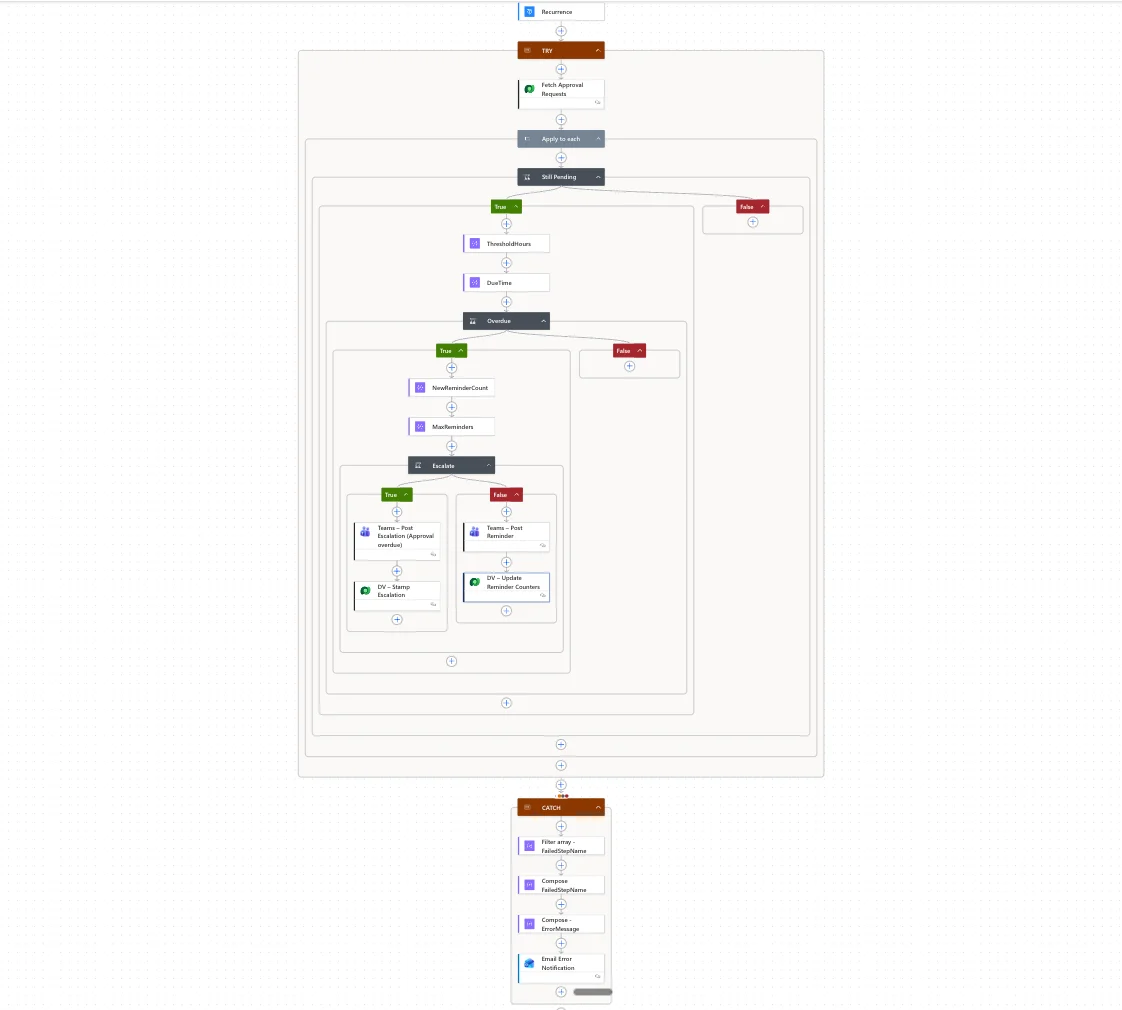
Watcher notification pattern

Once the case enters the correct state, downstream watchers handle approval outcomes, fulfillment updates, reminders and escalation events without relying on manual chasing.
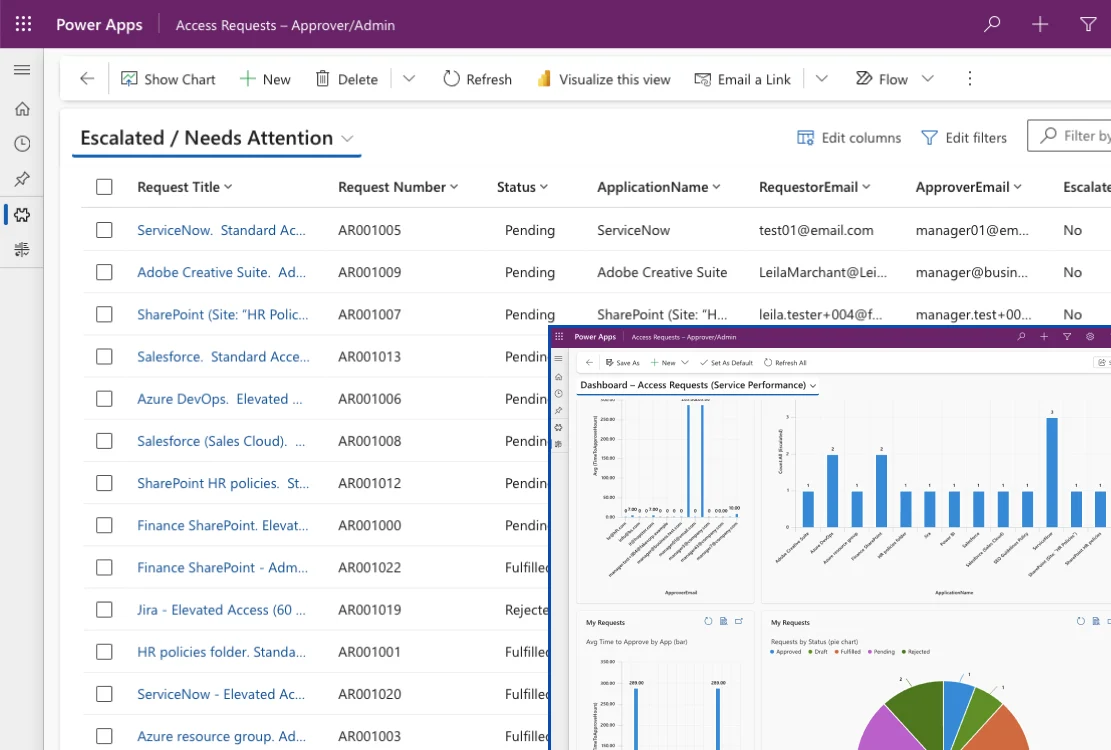
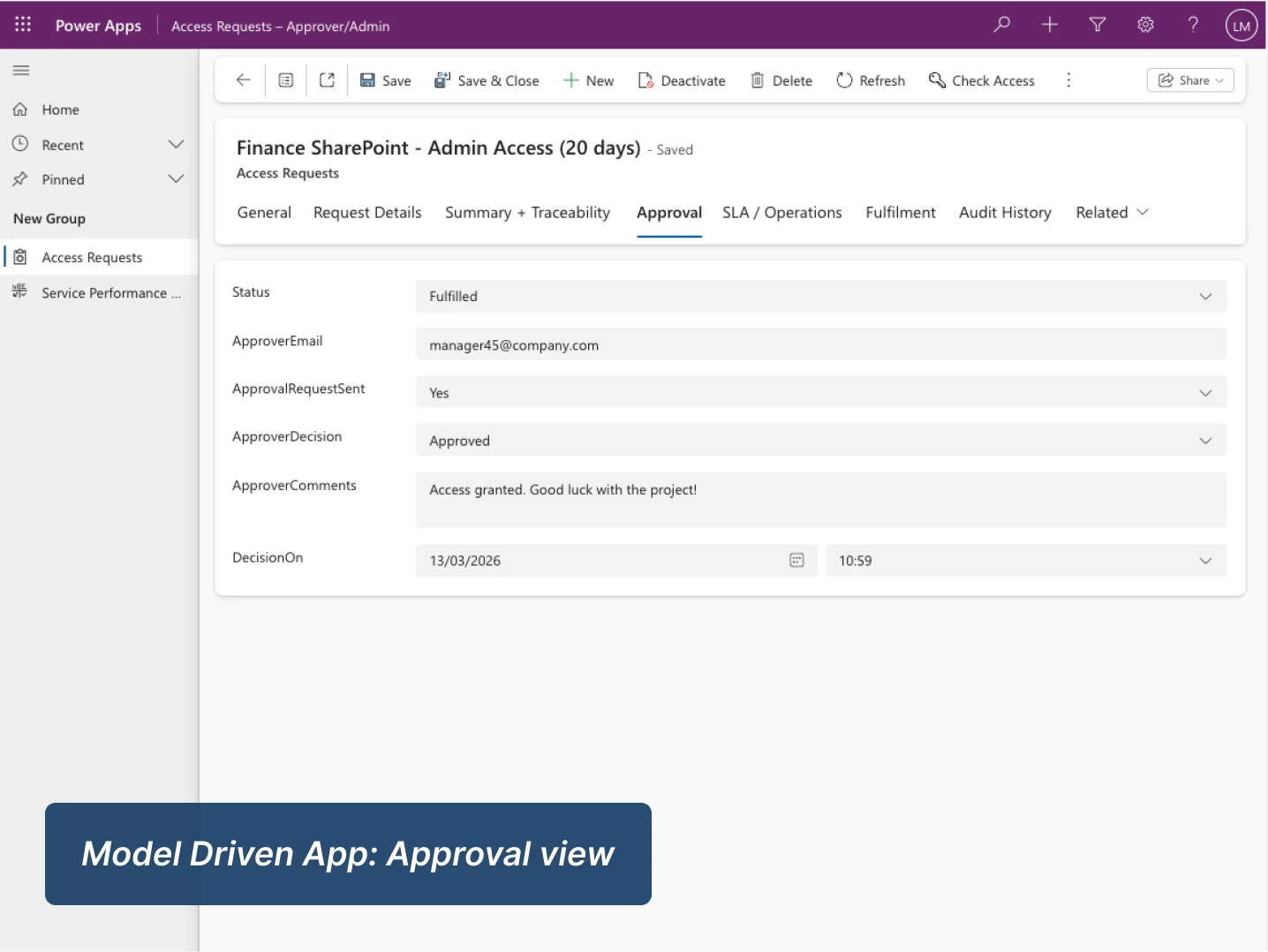
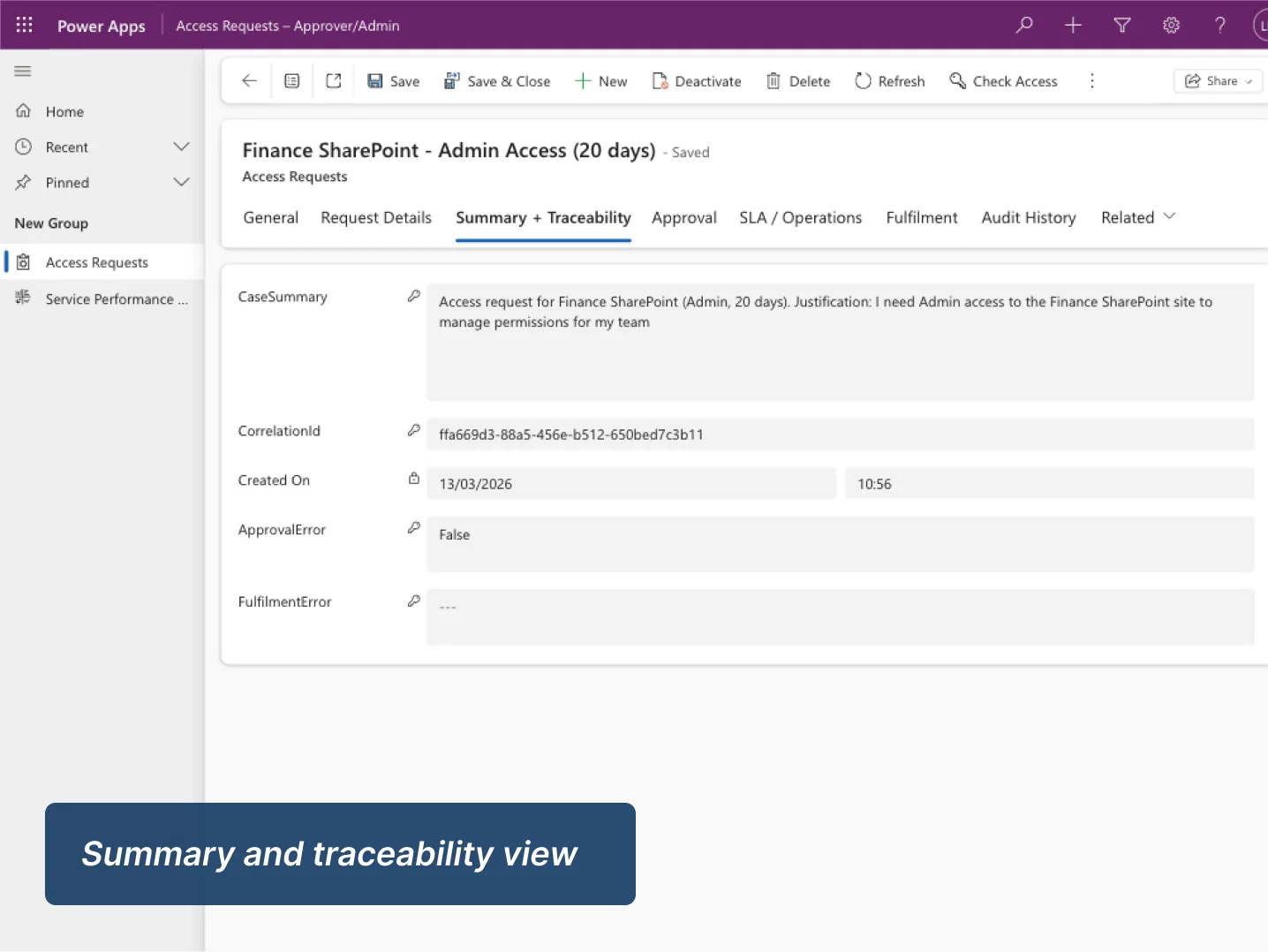
Model-driven operations console

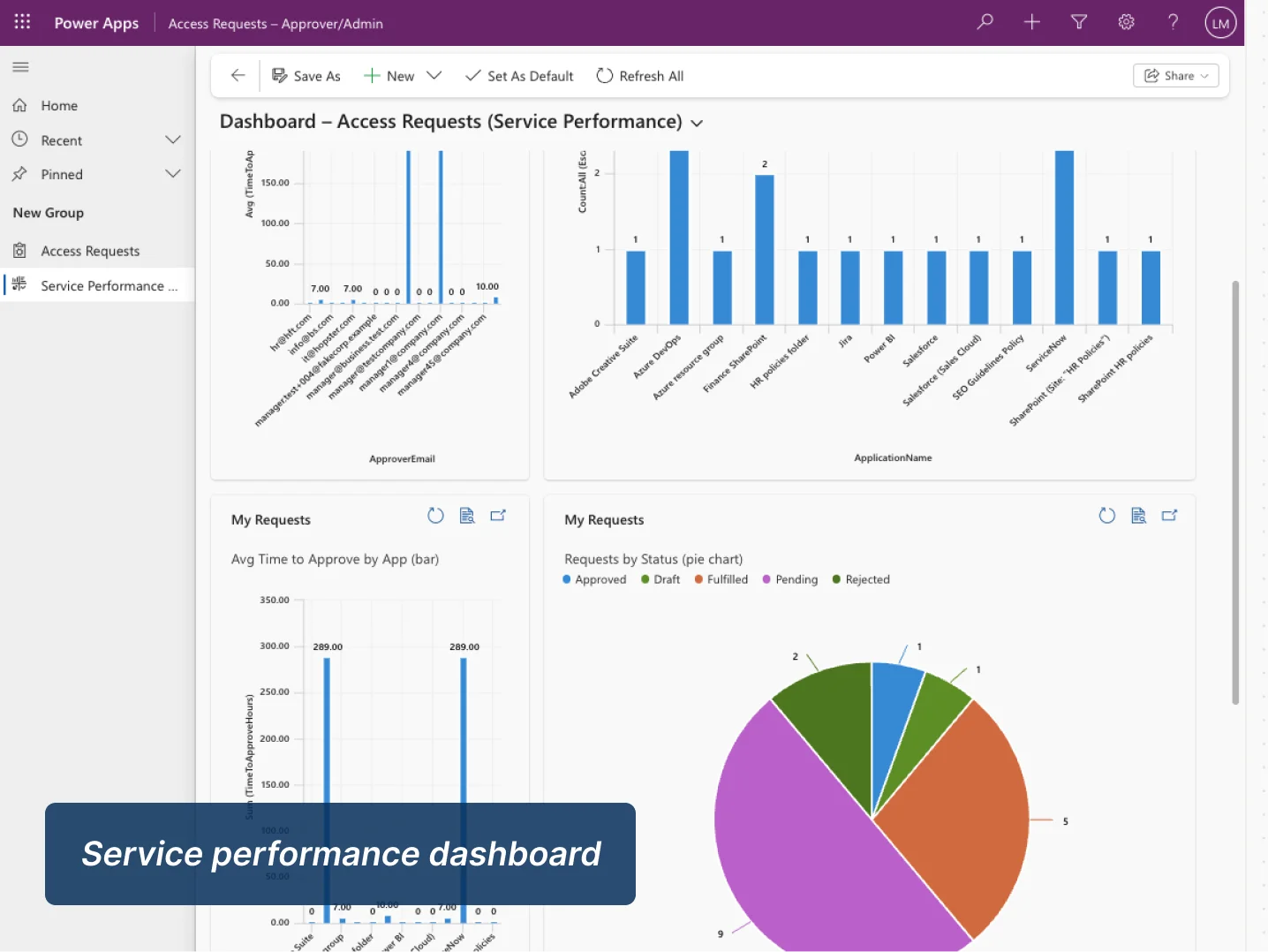
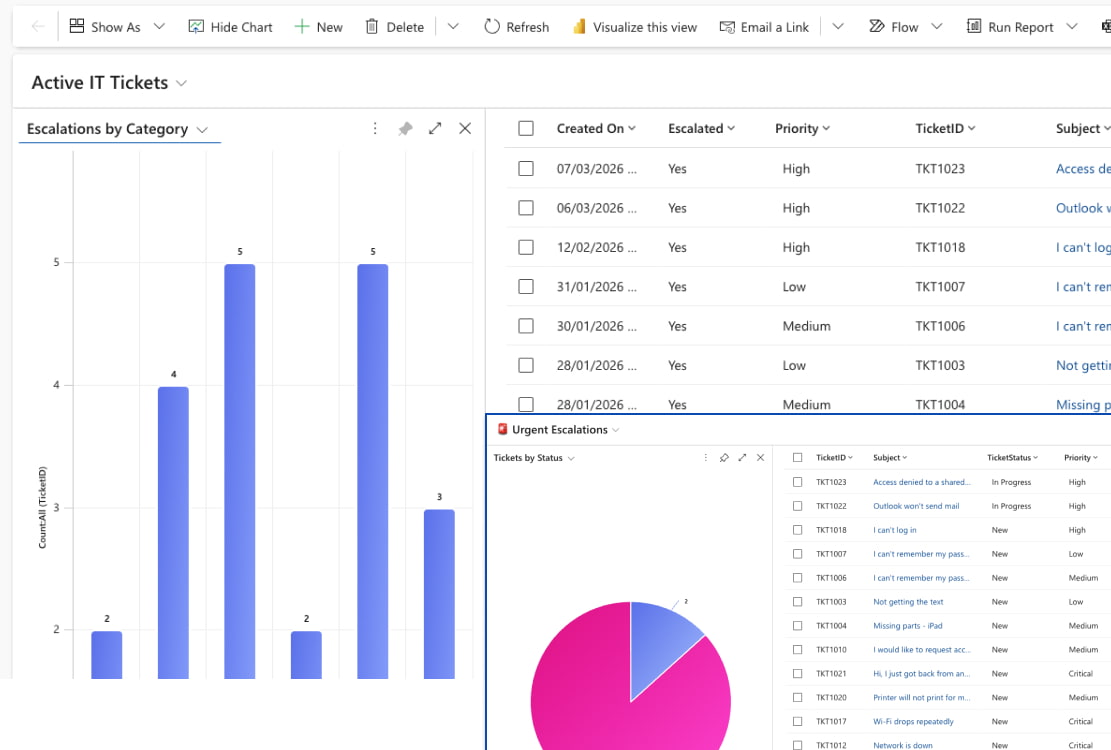
The model-driven app gives approvers and admins a structured operational view of request status, decisions, reminders, escalation activity, summaries, correlation IDs and error details from one place.
Trust, Safety & Operational Controls

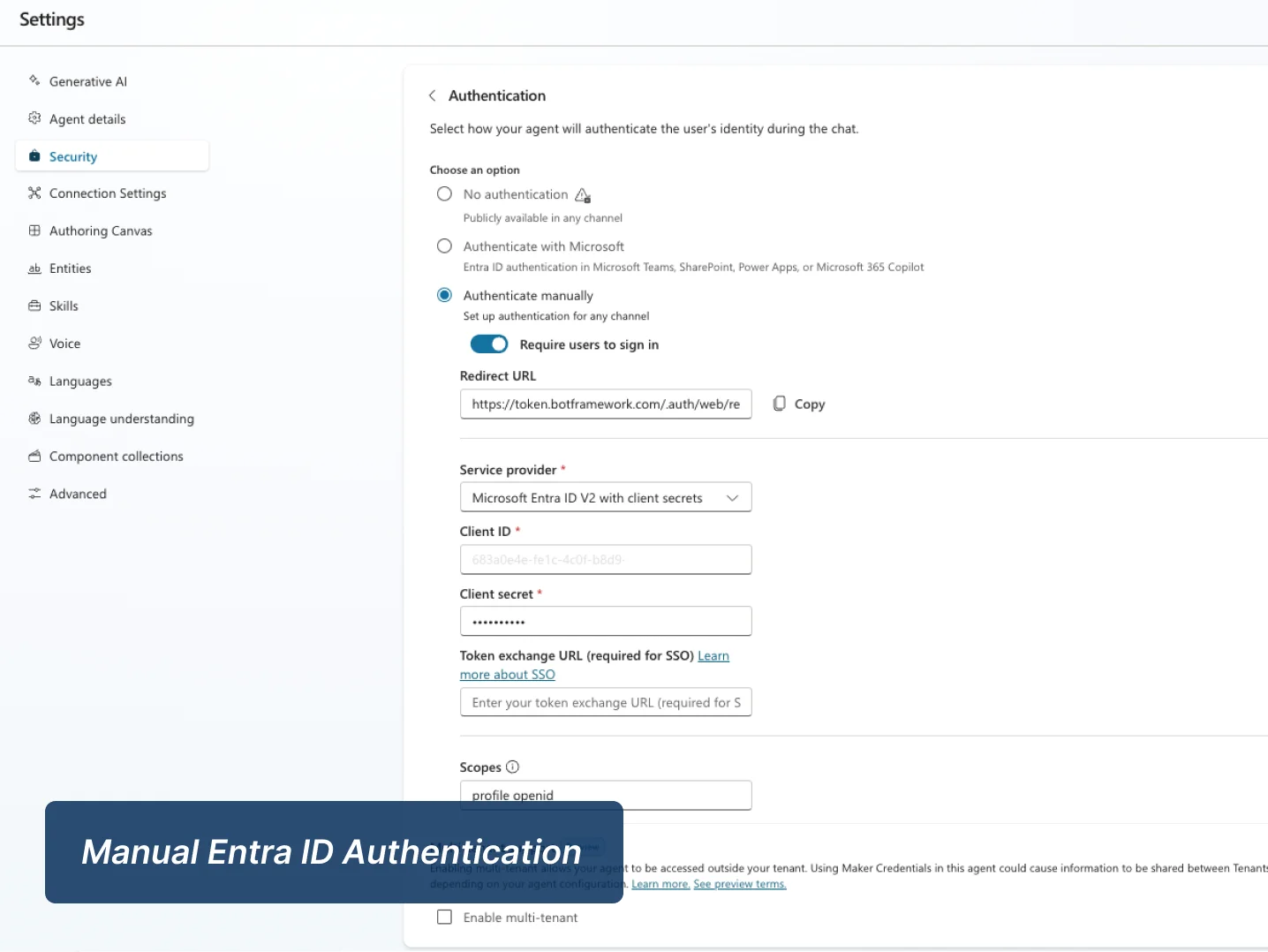
This project was designed to demonstrate governance thinking as much as workflow automation. In addition to the happy path, I implemented role-based access, policy-aware validation, identity-backed request capture in the secure variant, duplicate-prevention flags, traceability fields, and resilient TRY/CATCH handling so the workflow is safer to operate and easier to support.

The video below provides a focused walkthrough of the security and governance layer, including identity, RBAC, auditability, idempotency and error handling.

Play Video

Key Features & Governance Controls

Key Automation Features

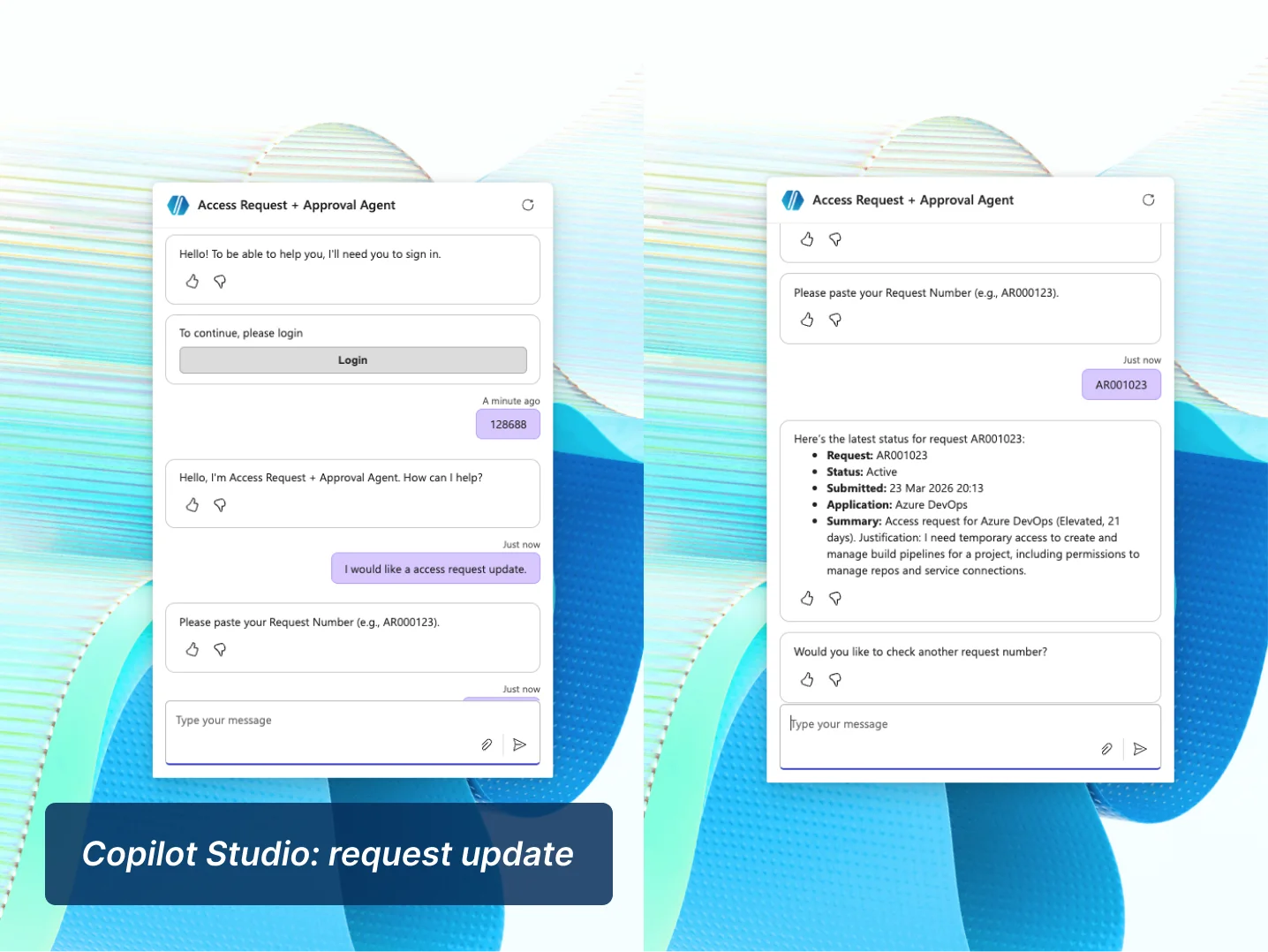
Conversational request intake via Copilot Studio

Reusable AI-generated case summaries (BYOM)

Interactive Teams Adaptive Card approval experience

Dataverse-based lifecycle and status tracking

Autonomous SLA reminders and escalation logic

End-to-end request to fulfillment workflow

Used Power Automate over Agent Flows for approvals to ensure governance and reliability.

Security & Governance

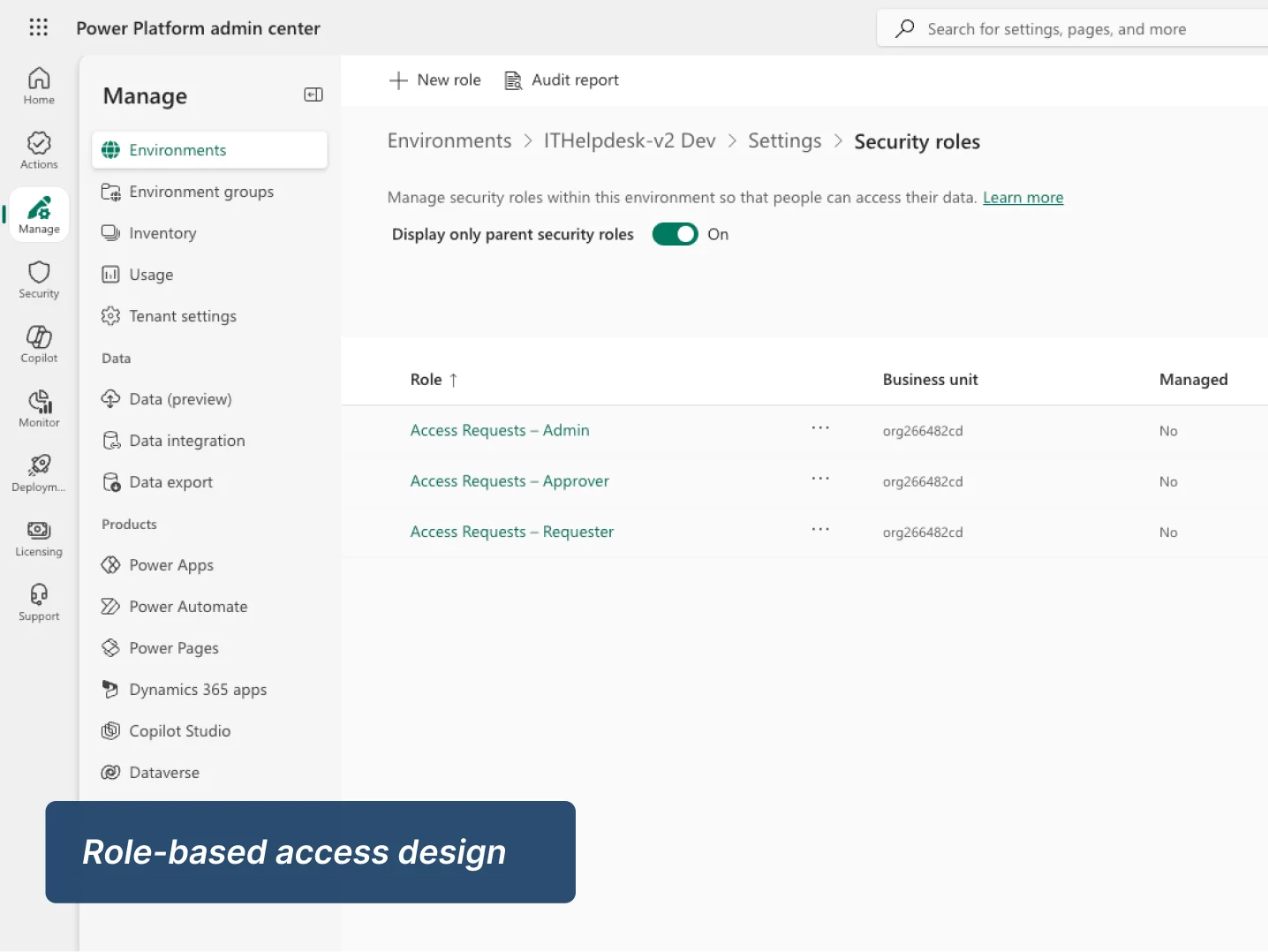
Role-Based Access Control (RBAC) implementation

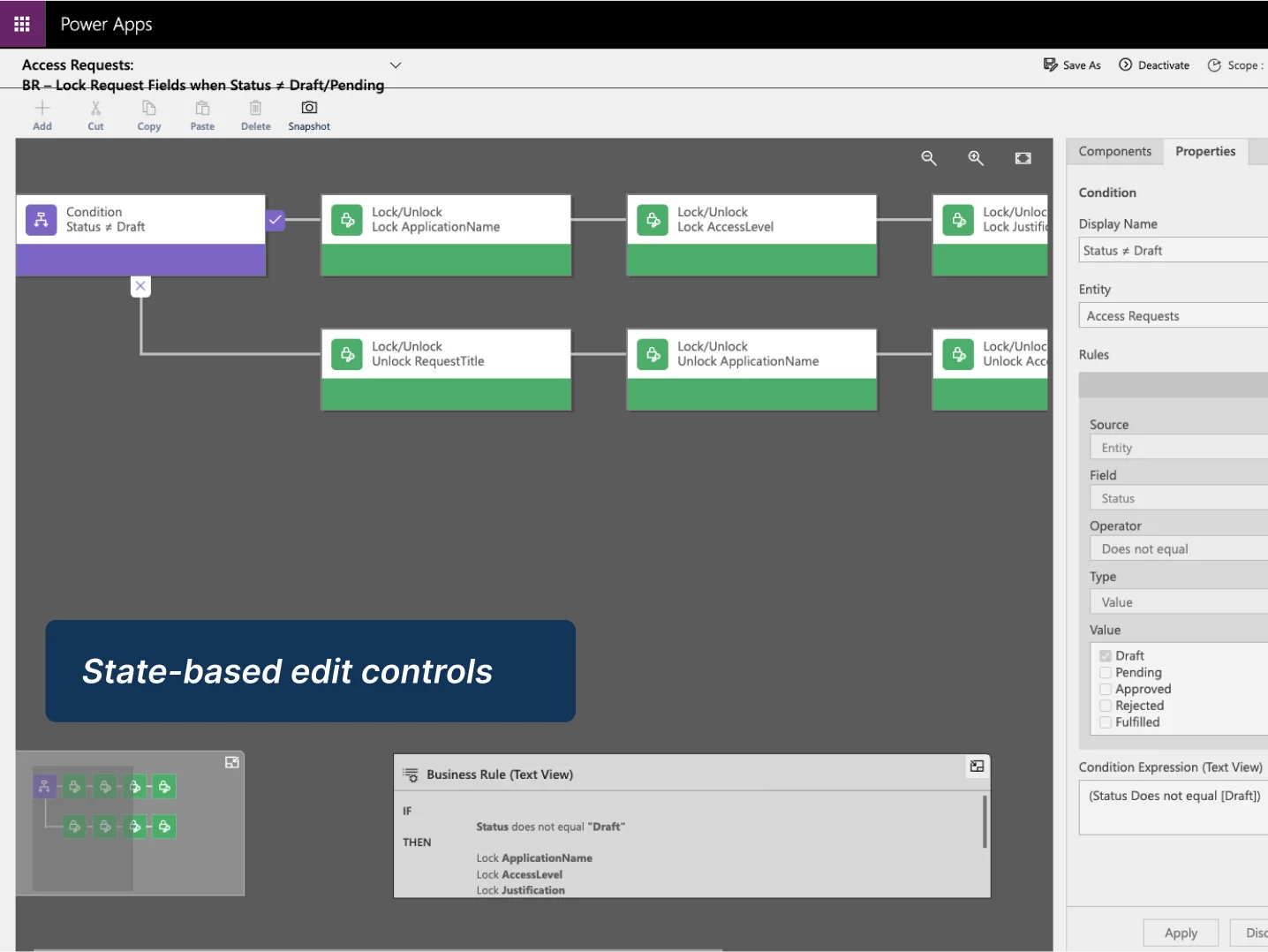
Draft-only editing guardrails and field-level security

Idempotency flags to prevent duplicate processing

Correlation IDs for cross-system tracking

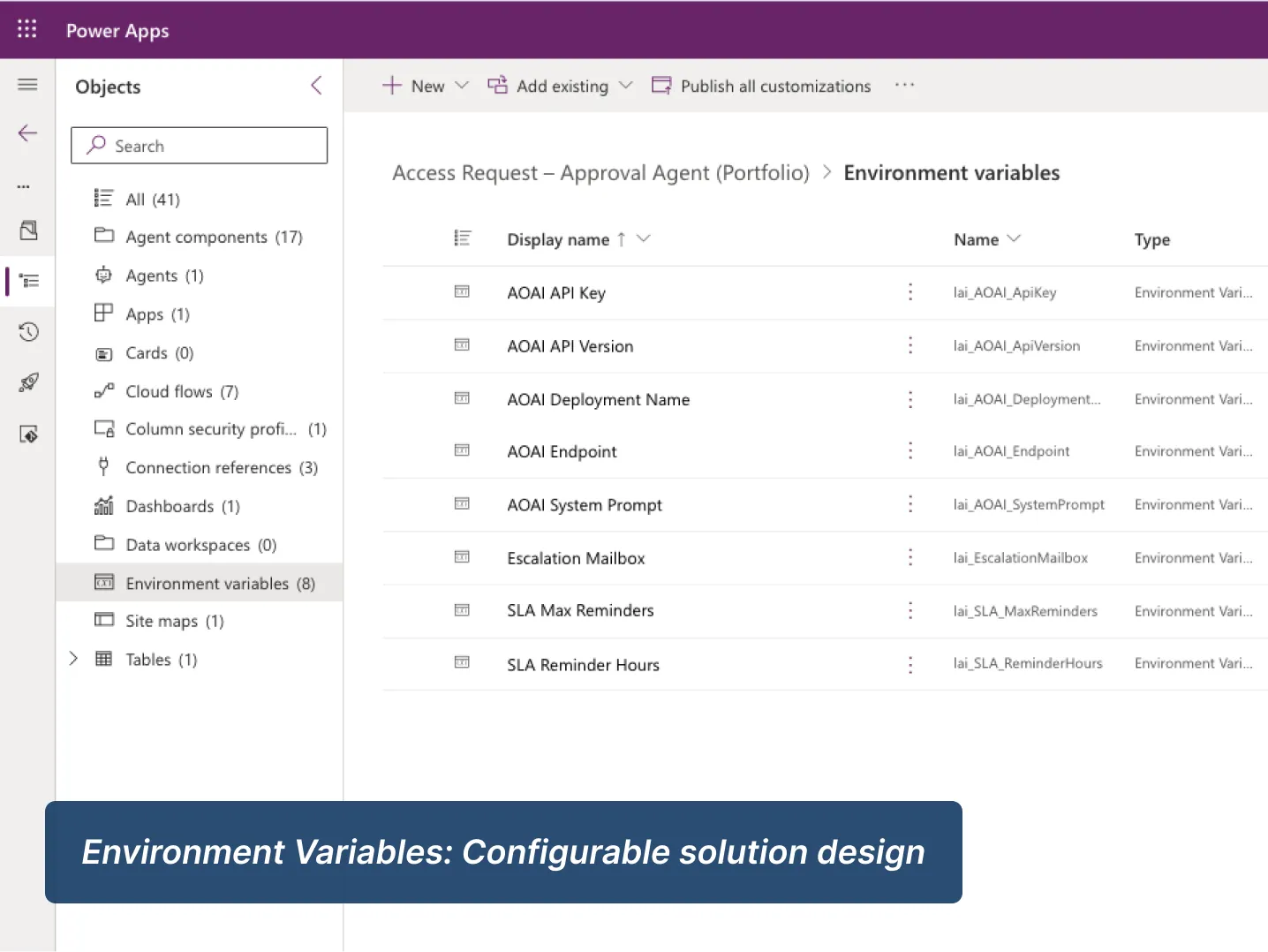
Environment variable-driven configuration

Comprehensive error logging and audit-friendly status tracking

Approval logic separated from the chat layer to improve control, auditability, and supportability.

What This Project Demonstrates

This project demonstrates how I design Power Platform solutions that balance user experience, process control and operational governance.

Copilot Studio conversation design

Structured conversational intake with guided questioning, validation and policy-aware branching.

Power Automate orchestration

Event-driven flows coordinating approvals, reminders, fulfillment and reusable child-flow logic.

Dataverse process modelling

A governed data model supporting request lifecycle tracking, status control, summaries and auditability.

Identity-aware solution design

Secure request handling with authenticated identity capture and a clear distinction between public and enterprise-ready patterns.

Operational UX

A model-driven app that gives approvers and admins visibility into case progress, decisions, reminders and exceptions.

Governance mindset

Role-based access, duplicate-prevention logic, traceability fields and resilient error handling built into the solution design.

Lessons Learned

Building this project reinforced that good business applications need more structure behind the scenes, not less. To make the request experience feel simple, I had to be deliberate about validation, lifecycle state, retry-safe automation and operational visibility. Creating the secure Entra ID variant made that even clearer by showing how the same pattern can move from a portfolio-friendly public demo to a more enterprise-ready authenticated design.

Business Outcomes

Enterprise Upgrade Path

The current case study is deliberately scoped as a portfolio-ready implementation, but the design already supports a broader enterprise direction. The core architecture can be extended without reworking the foundation because the process, data model and controls are already in place.

Phase 01

Teams adaptive actions

Expand approval and support interactions inside Teams with richer adaptive experiences, additional approval routes and stronger operational messaging.

Phase 02

SLA and escalation management

Extend the reminder watcher into a fuller service-management pattern with thresholds by request type, escalation paths and more formal queue ownership.

Phase 03

AI summary enrichment

Develop the reusable BYOM child flow further to support richer summarisation, categorisation or downstream triage patterns across multiple business processes.

Interface & Operations Views

  • Business rules
  • Copilot Studio - request update
  • Environment variables
  • Audit History
  • Role-based access design
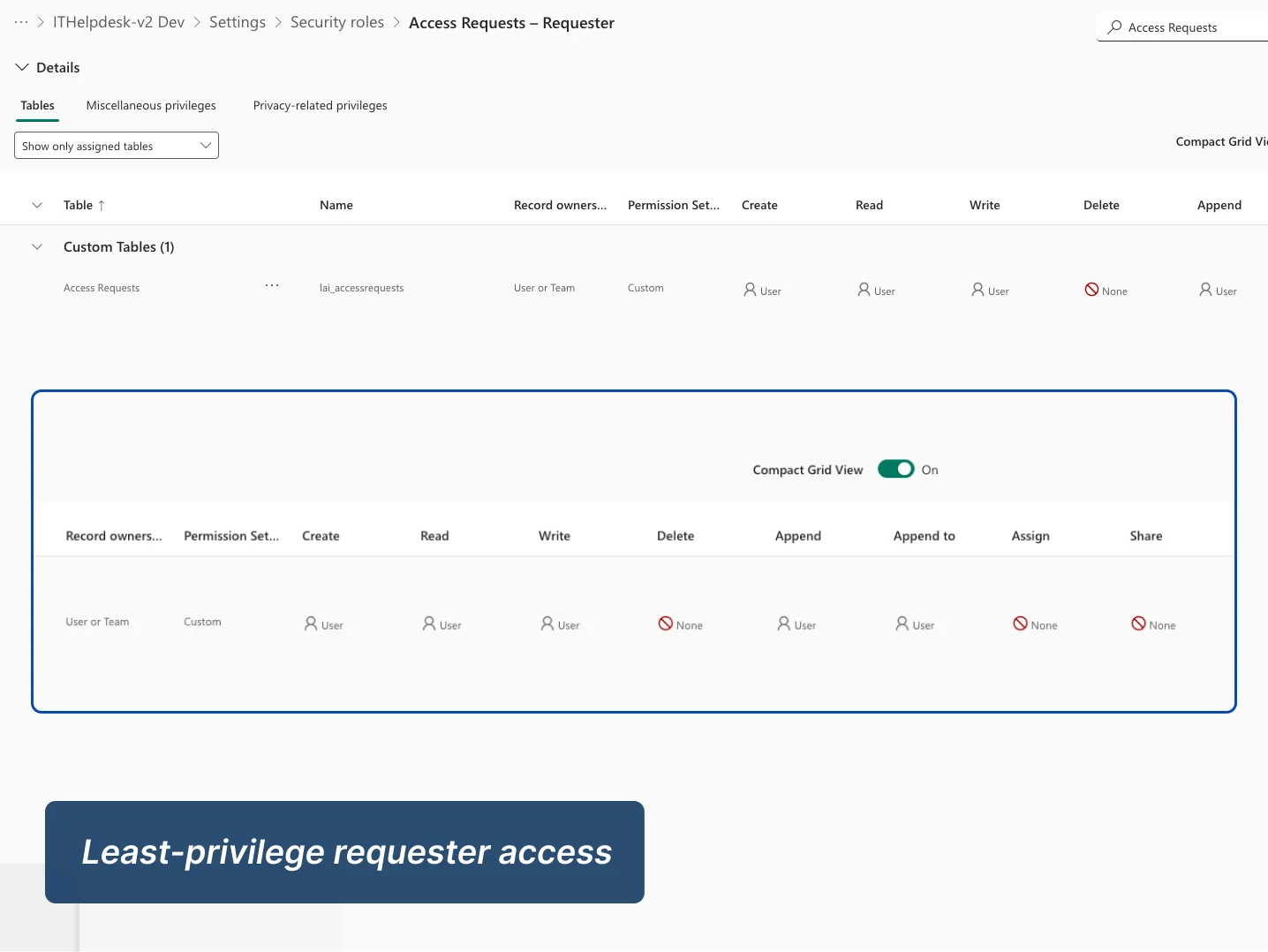
  • Least privileged request to access
  • Manual Entra ID authentication
  • Status check: topic design
  • Model Driven App Approval View
  • Summary and traceability view
  • Service Performance Dashboard

Project Documentation

For full delivery detail, these documents provide the deeper project, governance, and release view.

Full Case Study

End-to-end project narrative covering business problem, architecture, data model, workflows, governance, and testing.

Download PDF

ALM Release Checklist

Deployment-focused document covering solution packaging, environment setup, validation, release controls, and operational readiness.

Download PDF
Model Driven App

Next case study:
IT Helpdesk Agent

See how I applied the same Power Platform approach to IT support, combining conversational intake, AI summarisation, escalation logic and operational visibility.

Learn how we helped 100 top brands gain success